
Presentations don’t fail because of the topic. They fail because people stop following somewhere along the way.
Keeping attention has become harder now. People walk into sessions already tired, already thinking about something else, and already surrounded by distractions. So the goal is to guide them through the session in a way that feels easy to participate in.
That’s why the way you guide your audience matters more than the slides themselves.
The audience engagement strategies that follow move in the same order a presentation naturally unfolds. From the first few minutes, to the heavier parts where focus usually drops, to the closing moments that decide what people walk away remembering.
Great presentations come from great planning. Before diving in, here's How to Prepare for a Presentation Like a Pro (With Proven Tips for Success).
1. Give the audience one guiding question to listen for
A guiding question gives people a reason to stay mentally present. Without it, the audience listens in all directions at once, and you end up competing with their own internal noise.
You don’t need anything dramatic. Just a simple line that gives them something to hold onto. The moment the audience knows what they’re listening for, the rest of your content has a much better chance of landing. It’s one of the most reliable audience engagement strategies because it sets purpose from the start.
Examples you can use:
- What decision becomes easier once you learn this?
- What problem in your routine will this solve next week?
- What changes the moment you apply this idea at work?
- Where does this topic show up in the real world around you?
When these help:
They work best when your topic affects daily practice, or when the presentation is slightly dense and you want to keep the room focused without adding pressure. A guiding question helps the audience filter what matters from what’s just detail.
2. Highlight the point of each section before you explain it
People follow presentations better when they know where each section is going. If you start talking without giving a clear point first, the audience spends the next minute trying to guess what the section is about.
Stating your point early makes the listening experience lighter. You’re reducing cognitive effort and helping the audience stay engaged because they no longer need to figure out the direction on their own.
For example:
- “This part explains why the current approach wastes time.”
- “This section shows the two signals you should watch for.”
- “We’re looking at the one mistake people repeat without noticing.”
- “This is where we compare what works and what usually fails.”
These openers give shape without overselling. They guide the audience’s attention so the rest of the content lands with less friction.
3. Keep your pacing at a speed the audience can actually follow
Pacing is a quiet form of audience engagement. Too fast and people fall behind. Too slow and they drift. Most presenters pace for themselves, not for the room. The safer move is to pace based on how long it realistically takes people to listen, and connect the idea to something they already know.
A good pace is steady. And once you slow down just enough for clarity, your engagement naturally rises because people feel like they can keep up.
A simple pacing guide to check yourself while presenting:
| What You’re Saying | How It Should Feel | What the Audience Is Doing |
|---|---|---|
| Introducing a new idea | Calm and steady | Trying to understand the shape of it |
| Explaining details | Slower than you think | Processing and linking it to something familiar |
| Showing an example | Slightly quicker | Confirming the idea makes sense in context |
| Asking for input | Short pause before moving on | Deciding how they want to respond |
Maintaining engagement throughout your presentation could be a challenge. Unfortunately, Death by PowerPoint Starts Quietly: Here’s How to Stop It Early.
4. Shift examples based on what the room responds to
Examples are the bridge between theory and real understanding. But no single example works for every audience. That’s why strong presenters adjust their examples the moment they sense the room isn’t connecting.
You can tell a room isn’t responding when eyes start drifting, people stop taking notes, or the energy feels flat. Switching to a more familiar example wakes the room up again. It keeps the presentation grounded in relevance, which is one of the most reliable audience engagement strategies because relevance always sharpens attention.
Sometimes audiences need industry-based examples. Other times they respond better to day-to-day ones.
Case-in-point: Trust the room more than the script.
5. Bring the audience back to the guiding question you set at the start
This is the part that ties your whole arc together. When you revisit the guiding question, the audience suddenly sees how the pieces fit. It’s a quiet “oh, that makes sense” moment.
Use the same guiding questions you introduced at the start, because that’s what gives the session a sense of closure.
For example, if you began with:
- What decision becomes easier once you understand this? Bring it back by saying something like, “So now that you’ve seen the process, that decision should feel less fuzzy.”
If you began with:
- What problem does this solve in your routine? Close the loop with, “Here’s where that problem starts to shrink once you use this method.”
6. Show the next step so the session doesn’t float into nothing
People lose the value of a session the moment it ends without direction. A next step doesn’t need to be big. It just needs to be concrete enough that the audience knows what to do with the information you just gave them.
Practical next steps you can give:
- Look for one place in your work where today’s idea naturally fits.
- Try the method once this week, then note what felt easier.
- Share the concept with someone on your team to see how it applies to their workflow.
- Notice two spots in your current process where this could remove friction.
- Revisit one decision you made recently and check if this new lens changes anything.
Keep a look out on PowerPoint Mistakes Beginners Make (And Pros Avoid).
Taking Your Audience Engagement Even Further With PowerPoint + ClassPoint
Once you’ve shaped the presentation itself with clear points, steady pacing, and a strong finish, the next layer of audience engagement comes from the way your slides respond to the room. Most presenters rely on PowerPoint alone for this, which is fine for sharing information, but it doesn’t give you many ways to involve people in real time.
ClassPoint fills that gap without changing the way you build your deck. It simply gives your existing slides the ability to listen, gather input, and react with you.
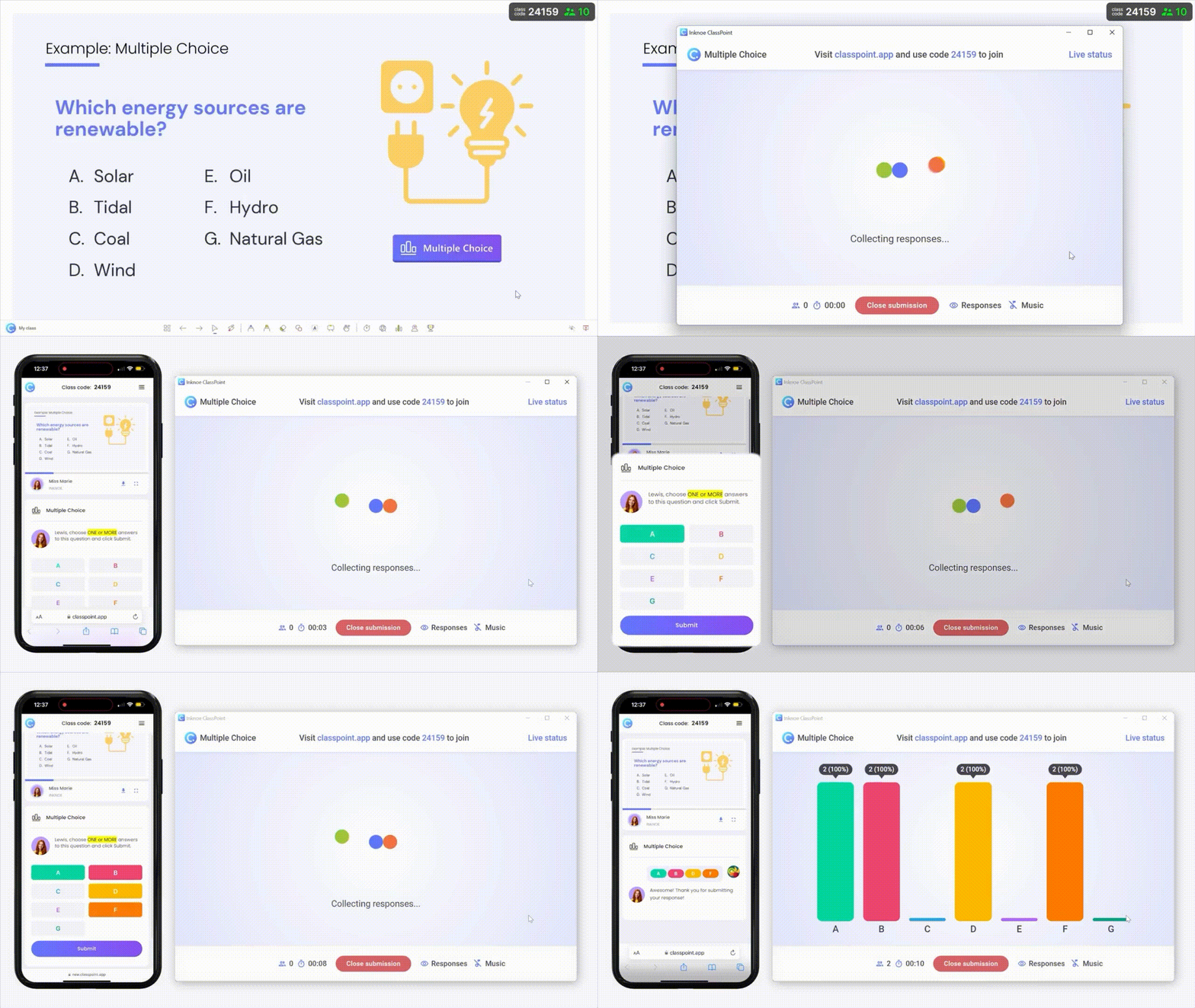
Here are the ClassPoint tools that strengthen the same strategies you built earlier:
- Interactive Quizzes: Quick checks across your session that keep the room mentally involved. You can run multiple choice, short answers, or even word clouds directly on your slides.
- Name Picker: A fair way to call on participants without pressure or bias. It keeps everyone alert because they know they might contribute, but it never feels forced.
- Gamification Elements: Stars, badges, and leaderboards that add light motivation for audiences who enjoy friendly participation. Good for workshops, training, and energizing mid-session dips.
- Dynamic Presentation Tools: On-slide annotation, whiteboards, timer, draggable objects — tools that let you adjust examples, highlight key points, or slow down the pace when you see the room needs it.
