It can be safely concluded that ChatGPT is for everyone.
As the most powerful language model, there is little doubt about it: ChatGPT paved the way for the AI world we are in right now.
With many industries already using ChatGPT for both general and specific productivity, teachers sit high on that list. As AI use slowly becomes accepted in educational settings, teachers across the globe adapt. What was once feared to replace them is now something they inevitably have to coexist with.
And now, ChatGPT for teachers is here.
But what difference does that actually make? Is there something new? Or is this still the same ChatGPT, simply framed in teacher lingo?
How teachers already use ChatGPT
Before ChatGPT for teachers emerged, teachers were already using ChatGPT in routine ways. It functioned primarily as a general-purpose productivity tool rather than a teaching-specific solution.
Early use focused on preparation and workload support. Teachers used ChatGPT to generate lesson ideas, draft instructions, and assist with administrative tasks connected to planning and documentation.
Usage later expanded into material creation.
Teachers used ChatGPT to:
- generate presentation content that could be turned into slides
- create reading passages tied to specific topics
- analyze, simplify, or adapt text for different levels
- produce images and visual supports for classroom use
At this stage, ChatGPT was no longer limited to planning assistance. It was being used to help build classroom materials.
There are many ChatGPT classroom hacks you might have yet to stumble upon. Check out What Experienced Teachers Know That Others Don’t on the use of ChatGPT in the classroom.
What changed with ChatGPT for teachers
Before getting into specifics, one thing needs to be clear.
ChatGPT for teachers is not a replacement for ChatGPT, and it is not a complete overhaul of the platform. The general version of ChatGPT continues to exist exactly as it did before. What OpenAI introduced is a standalone version, built alongside the existing product, with conditions and features designed specifically for education.
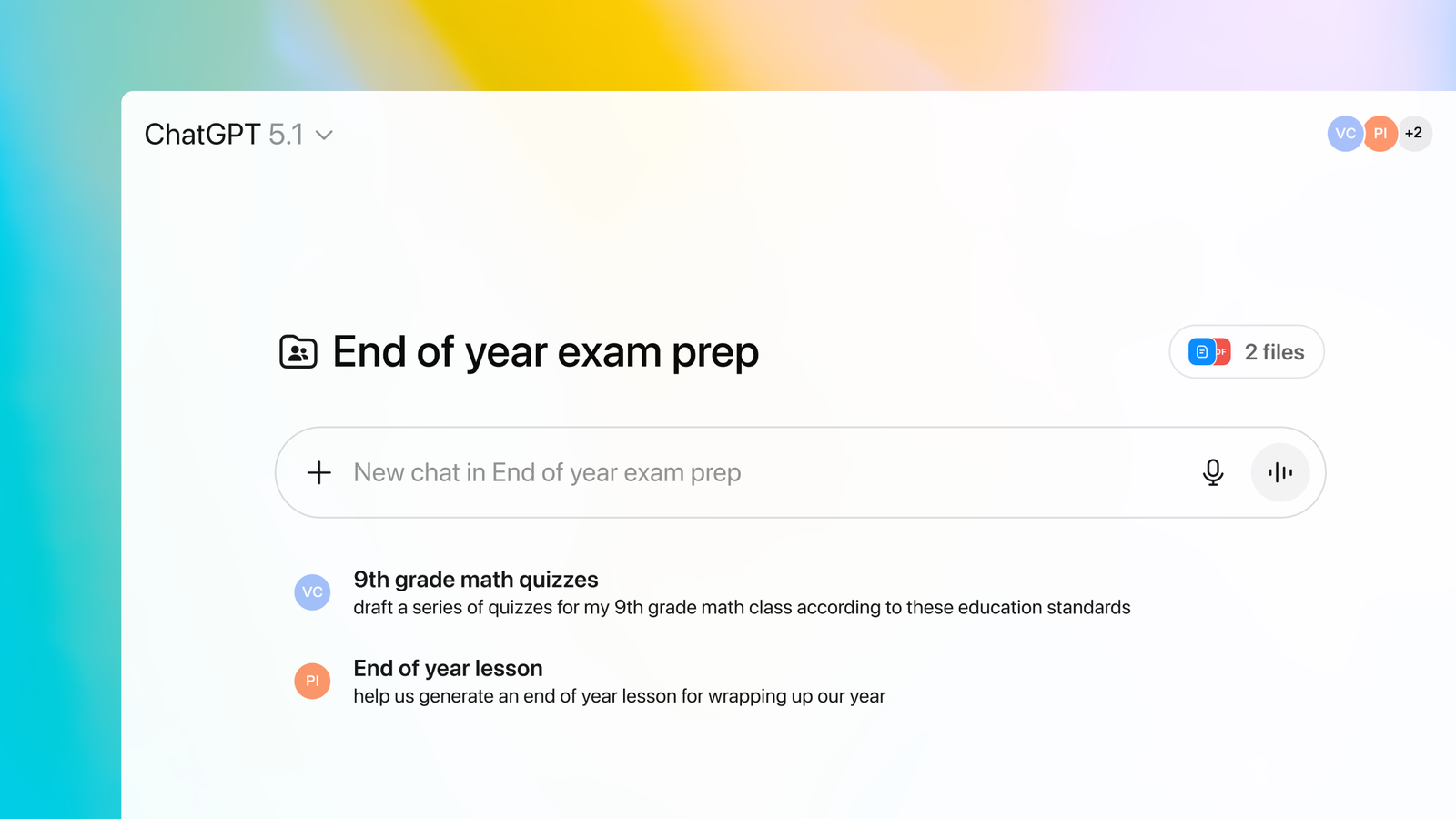
The changes apply to this version only. At a high level, here is what changed:
1. ChatGPT is offered as a teacher-specific workspace
ChatGPT for teachers is positioned as a dedicated workspace built for educational use, rather than a general-purpose chat interface. While the underlying capabilities remain familiar, the environment is designed to support classroom materials, school-related tasks, and professional teaching workflows.
This distinction matters because it separates casual use from instructional use.
2. Access requires teacher verification
Unlike the standard version of ChatGPT, access to ChatGPT for teachers is tied to verification. Teachers must confirm their identity and school affiliation, typically through institutional details and proof such as a school-issued ID.
This signals that the product is intended for active educators and formal educational settings, not personal or anonymous use.
3. Data handling is explicitly defined for education use
One of the most emphasized changes is around data use.
Content shared in ChatGPT for teachers is not used to train models by default. The workspace is built with education-grade privacy, security, and compliance in mind, including alignment with FERPA expectations for K–12 environments.
This does not remove the need for caution with sensitive data, but it directly addresses a core concern schools have had with general AI tools.
4. Collaboration is supported within shared spaces
ChatGPT for teachers introduces shared project spaces where educators can co-plan lessons, adapt materials together, and reuse content across teams. This reflects real teaching workflows at the department, grade, or district level.
In contrast to individual chat histories, this version assumes collaboration as a default use case.
5. Administrative controls are introduced for schools and districts
ChatGPT for teachers is built not only for individual educators, but also for school and district leaders. Administrative features allow domains to be claimed, roles to be managed, and access to be controlled through mechanisms such as SAML SSO.
This enables institutional oversight in a way that was not possible with the standard consumer version.
Need prompt ideas? Here's The Complete ChatGPT Cheat Sheet for Busy Teachers (180 Sample Prompt Variations + Free Download for Easy Copy & Pasting!)
Is it actually the same ChatGPT?
At its core, ChatGPT for teachers does not introduce a new way of thinking, reasoning, or generating content. The underlying model behaves the same way teachers are already familiar with. Prompting works the same. Responses follow the same logic. Strengths and limitations remain unchanged.
So in that sense, yes. It is the same ChatGPT.
Where the difference shows up is not in what it can do, but in how that ability is framed, controlled, and supported in education settings.

✅ The model is the same, the context is not.
Teachers interacting with ChatGPT for teachers are still prompting a language model that mostly generates text, analyzes content, and produces materials in the same way as before. There is no new instructional intelligence built specifically for pedagogy.
What changes is the surrounding context. The workspace remembers classroom-related preferences, supports shared materials, and assumes that the content being worked on belongs to a teaching environment. The output feels more aligned because the environment is designed to keep that context present.
✅ The risks are addressed, not removed.
ChatGPT for teachers does not eliminate issues like hallucinations or the need for professional judgment. Even the product itself explicitly warns users about this.
What it does change is how risk is managed. Data entered is not used to train models by default, and privacy commitments are clearly defined for education use. This does not make the tool safer by intelligence. It makes it safer by policy and design.
✅ The experience shifts from personal to professional.
Using ChatGPT independently is a personal decision. Using ChatGPT for teachers is framed as a professional one.
Verification, collaboration spaces, and administrative oversight signal that this version is meant to exist within schools, not alongside them. The tool itself behaves the same, but the expectations around its use are different.
Looking beyond ChatGPT for Teachers
By this point, one thing is clear: ChatGPT for teachers addresses a specific need. It gives educators a sanctioned, secure way to use ChatGPT for planning and prep.
The problem is that planning is only one part of teaching.
In practice, teachers look for tools that support the entire teaching cycle. From idea creation, to classroom delivery, to student response, to follow-up. This is where many AI tools start to fall short. They help with one step, then require teachers to move elsewhere to finish the job.
That limitation has led teachers to explore a wider range of AI tools built specifically for education.
Most teacher-focused AI tools fall into clearly defined categories:
- MagicSchool.ai: Lesson planning and teacher productivity tools
- Brisk Teaching: Workflow shortcuts, feedback support, and classroom assistance
- SchoolAI: Guided student practice and AI-supported activities
- Diffit: Text leveling and reading material adaptation
- Canva for Education (AI features): Slide design, visuals, and classroom graphics
These tools are useful, but they are mostly single-purpose. Teachers often use several of them together, which introduces friction. Content is generated in one place, converted in another, assigned in a third, and tracked somewhere else.
This gap is where a powerful tool, Edcafe AI, becomes relevant.
Why Edcafe AI enters the conversation
Edcafe AI was built to address what happens after planning.
Instead of stopping at ideas or drafts, it focuses on turning teaching content into student-ready learning materials, delivering them, and capturing what students do with them. That scope is what separates it from most AI tools teachers currently use.
At a high level, Edcafe AI positions itself across multiple stages of the teaching cycle.
| Area | Edcafe AI | ChatGPT for Teachers |
|---|---|---|
| Core purpose | End-to-end AI toolkit for creating and delivering student-facing learning materials | Secure AI workspace for teacher planning, drafting, and preparation |
| Primary use case | Teaching and learning in active classrooms | Planning and productivity before class |
| Output type | Interactive materials such as quizzes, YouTube quizzes, reading activities, flashcards, chatbots, slides, and assignments | Text-based output including explanations, drafts, lesson plans, and ideas |
| Student access | Students access materials via link or QR code on any device | No native student interface |
| Classroom interaction | Students respond directly inside activities and chatbots | Student interaction happens outside the platform |
| Feedback and grading | Auto-grading, AI feedback, and real-time analytics | Feedback and grading require manual input |
| Data and reports | Built-in dashboards showing class and individual performance | No built-in student performance tracking |
| Content organization | Folder-based system similar to Google Drive | Chat-based history and project folders |
| Best fit in the teaching cycle | From planning through classroom delivery and follow-up | Planning and preparation stage |
This positioning explains why Edcafe AI is often discussed alongside ChatGPT for Teachers, even though they serve different purposes.
👉 ChatGPT for Teachers supports preparation and ideation.
👉 Edcafe AI supports delivery, interaction, and follow-through.
Teachers may use both. But they use them at different moments, for different reasons.
Check out this full comparison on Edcafe AI vs ChatGPT for Teachers: What You Need to Know.
