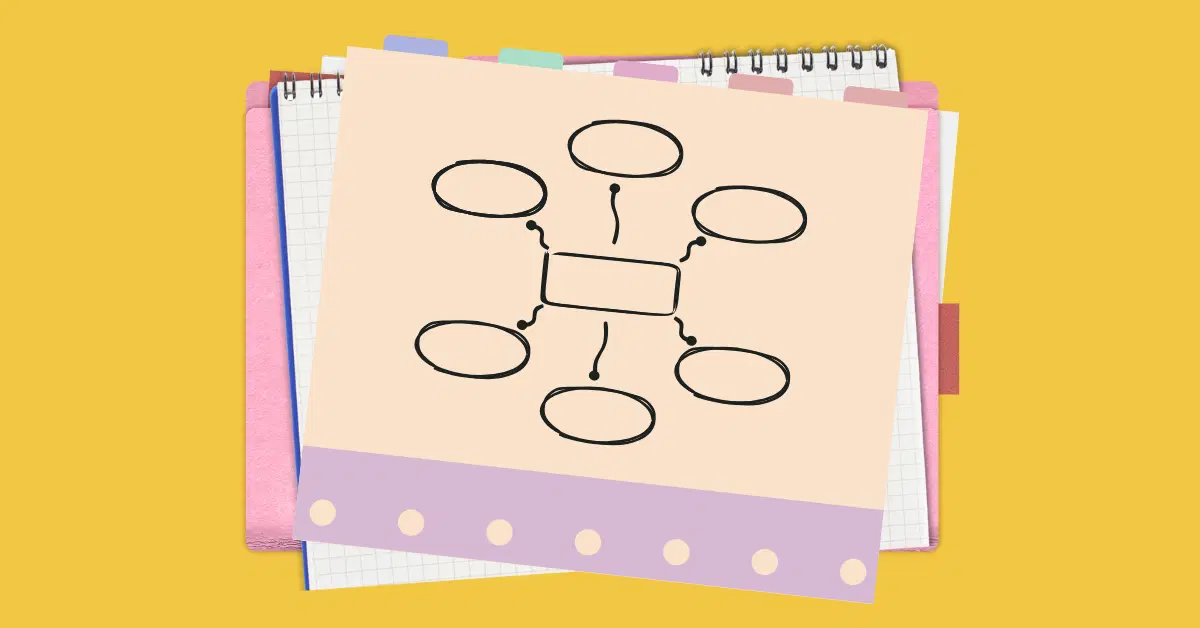
If students struggle to explain their thinking, the issue is often not the content. It’s how the ideas are structured. That is exactly where graphic organizers make a difference.
Graphic organizers help students visualize information, connect concepts, and organize their thoughts in ways that are easier to understand and remember. They play a key role in supporting comprehension, problem-solving, and analysis.
In this article, we explore what graphic organizers are, why they matter in learning, common types used in classrooms, and how ClassPoint helps teachers create interactive graphic organizers that students can actively work with during a lesson.
What are Graphic Organizers?
Graphic organizers are visual learning tools that help students clarify and organize information, ideas, and relationships between concepts.
These organizers combine visuals (maps, charts, diagrams) with text to represent knowledge in ways that are easy to grasp and remember.
At their core, graphic organizers make thinking visible. Rather than keeping abstract ideas floating in a student’s head or buried in dense text, these tools allow learners to see how information fits together, enhancing comprehension and retention.
How Graphic Organizers Improve Classroom Learning
Graphic organizers aren’t just static templates. When students actively construct them (through writing, regrouping, labeling, and connecting ideas), they participate in deeper cognitive processes like synthesis, analysis, and evaluation.
Educational thinkers like Lev Vygotsky argue that organizing ideas visually bridges thought and language, helping learners translate internal thinking into external representations they can revise and refine.
Why Graphic Organizers Matter in Learning
Research consistently shows that graphic organizers are more than just nice visuals. They are pedagogically powerful tools that support learning in measurable ways:
✅ They Improve Understanding and Retention
Graphic organizers help students categorize and summarize complex information, which aids memory and recall. Because they reduce cognitive load by structuring content visually, learners can focus on understanding concepts rather than juggling many unconnected details at once.
To learn more about memory retention, check out 6 Effective Retrieval Practice Strategies For Students’ Long-Term Success.
✅ They Support Comprehension Across Subjects
Studies in reading and writing instruction have shown that graphic organizers improve comprehension and strategic reading. In one research review, students who used graphic organizers developed stronger reading strategies and became better at identifying relationships in texts.
Another study found that when graphic organizers are used, students not only improve academically but also gain confidence in their abilities, a finding demonstrated in research on students’ performance and self-efficacy in online learning environments.
✅ They Help Meet the Needs of Diverse Learners
Because graphic organizers present information visually, they help:
- Visual learners make sense of content
- English language learners connect vocabulary with meaning
- Students with learning disabilities organize thoughts more clearly
- All learners follow complex relationships between ideas rather than memorizing facts in isolation
Types of Graphic Organizers Teachers Can Use
Different organizers serve different instructional purposes. Below are some commonly used types with classroom examples:
1. Mind Maps
A mind map starts with a central idea and radiates outward with related subtopics, excellent for brainstorming and showing how ideas connect.
2. Concept Maps
Concept maps show relationships between multiple concepts using nodes and linking phrases. They help students understand hierarchical and associative relationships.
3. Venn Diagrams
Venn diagrams depict similarities and differences between groups or concepts through overlapping circles, ideal for compare-and-contrast tasks.
4. Sequence and Flow Charts
These illustrate processes or chronological relationships, such as the steps of a scientific experiment or historical events in order.
5. KWL Charts
A KWL chart (Know, Want to know, Learned) helps students activate prior knowledge, set learning goals, and reflect on what they learned, a powerful tool for guiding inquiry.
6. T-Charts and Cause-Effect Maps
These help learners organize information on two dimensions (e.g., pros/cons) or trace causal relationships between events or phenomena.
Each type of organizer can be chosen based on the learning objective, whether that’s comparing ideas, sequencing events, summarizing text, planning writing, or brainstorming solutions.
Making Graphic Organizers Interactive Through ClassPoint
Now that we understand why graphic organizers matter and the types teachers use, let’s look at how ClassPoint enhances them for today’s classroom.
ClassPoint integrates directly into PowerPoint, allowing teachers to turn traditional organizers into interactive, student-responsive tools without leaving the slide deck.
Word Cloud for Brainstorming
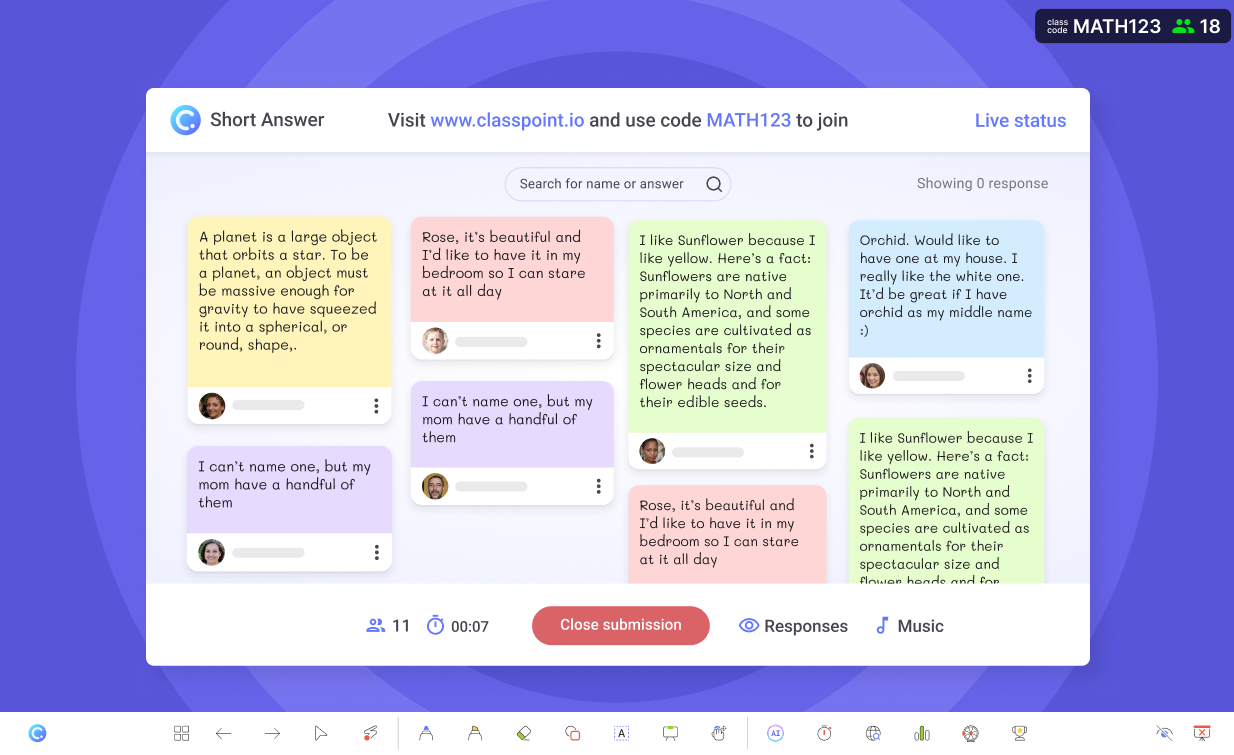
Use Word Cloud as a pre-step to graphic organizer activities. Students submit ideas, and you drag key terms into a concept map or spider diagram.
Slide Drawing for Live Fill-Ins

With ClassPoint’s Slide Drawing, students can fill in parts of your organizer (write, draw, annotate) right from their devices. This is perfect for mind maps, cause-effect charts, and Venn diagrams when students are actively exploring concepts.
Teachers display responses in real time and use them for whole-class discussion.
Interactive Quizzes to Structure Organizer Work

Break down complex organizers into smaller checkpoints using ClassPoint’s quiz tools:
🔡 Multiple Choice to classify items
❓Short Answer for idea generation
🪧 Fill-in-the-Blank for sequencing or definitions
This gives students clear focus and gives you instant formative data.
Running out of questions to ask your students? Head on to 100+ Short Answer Questions Across Bloom’s Taxonomy Levels to get inspired.
Image Upload for Visual Projects
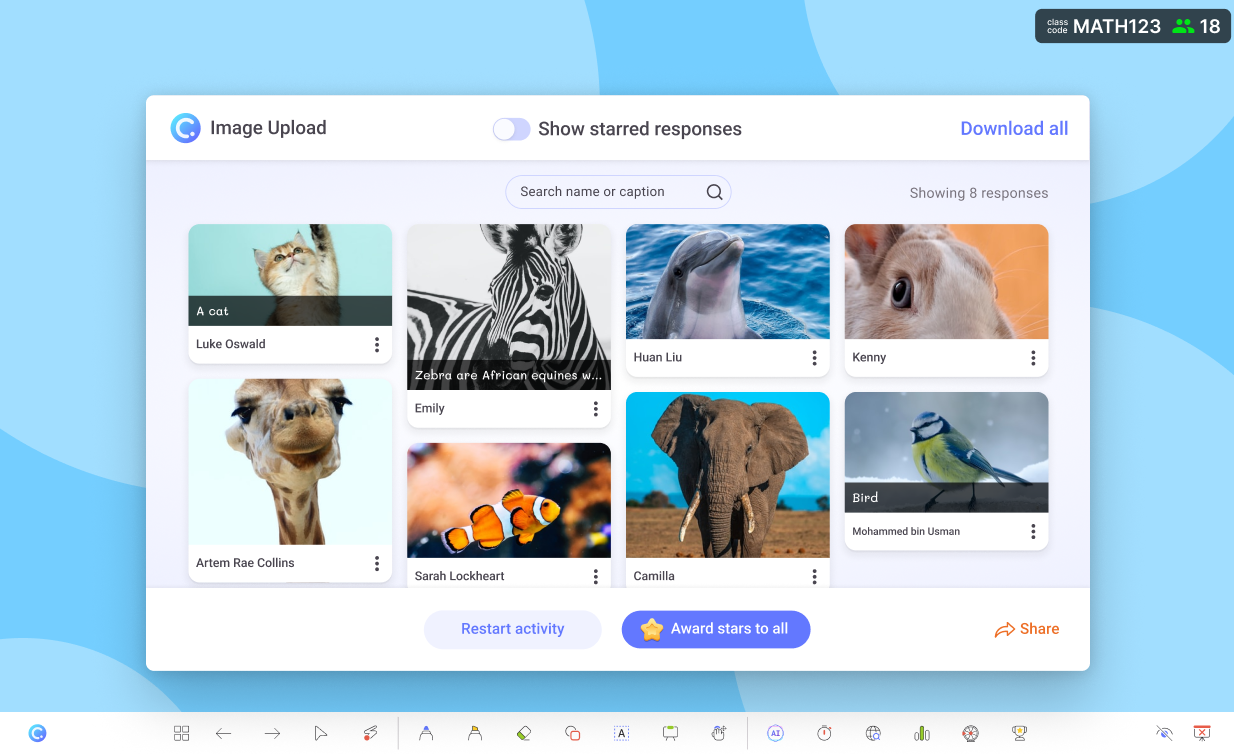
Students can upload images (photos, diagrams, sketches, etc.) and place them into your organizer. Great for science labeling, historical timelines, or vocabulary visuals.
After class, use the ClassPoint Web App to review, share, or download organizer responses for reflection, assessment, or portfolios.
FAQs
What age groups benefit most from graphic organizers?
Graphic organizers are effective across all age groups, from early elementary to higher education. Younger students benefit from visual structure and guided thinking, while older students use graphic organizers to analyze complex texts, plan arguments, and synthesize information.
How often should graphic organizers be used in a lesson or unit?
Graphic organizers are most effective when used strategically rather than in every activity. Teachers often use them at key moments such as introducing a topic, organizing new information, planning written work, or reflecting on learning at the end of a lesson or unit.
How do graphic organizers help students who struggle with writing?
Graphic organizers help students plan and structure ideas before writing, reducing cognitive overload. By organizing thoughts visually first, students often produce clearer, more coherent written responses and feel more confident starting their work.
How can teachers adapt graphic organizers for different ability levels?
Teachers can scaffold graphic organizers by pre-filling some sections, offering sentence starters, limiting the number of categories, or allowing multiple response formats. More advanced learners can work with open-ended organizers that require deeper analysis or independent structuring.
