Your content is solid. You know your stuff. But making it look good on slides? That’s a different beast. We’re expected to turn complex ideas into beautiful slides without a design degree. Most of us struggle with this, and we just need something that doesn’t look thrown together in five minutes.
So we tested six tools to find the best AI presentation maker for different needs. Whether you’re preparing a lesson for students, pitching to clients, or just need slides that won’t embarrass you, this blog is for you. Here, you’ll get honest breakdowns of what works and what doesn’t with just enough detail so you can pick the right tool and skip the ones that’ll waste your time.
How we Evaluated These AI Presentation Makers
Real testing means building presentations you’d actually use.
Every AI presentation maker in this guide has a free plan. We tested each one without requiring a credit card upfront because you shouldn’t have to commit money just to see if a tool fits your workflow.
We used two different types of prompts. Some AI presentation makers are built for creative storytelling and education. Others handle business and technical content better. Testing them with the right type of content shows what they’re actually good at.
What we looked for:
✓ Content accuracy (did it make stuff up?)
✓ Design quality (does it look professional or like a template from 2005?)
✓ Ease of customization (can you actually change things without wanting to throw your laptop?)
✓ Export options (does everything break when you download it?)
TL;DR: Best AI Presentation Maker Comparison at a Glance
Here’s the fast version of how these AI presentation makers stack up.
| Tool | Best For | Paid Plans Start At | Standout Feature |
|---|---|---|---|
| Edcafe AI | Teachers & educators | $7.99/month | Student-friendly content, assign directly to students, export options, automatic images |
| Gamma | Startups & modern businesses | $8/month (billed annually) | Sleek interface, smooth onboarding |
| Prezi AI | Educators & Storytellers | $15/per month | Non-linear presentations, stunning visuals |
| Slidesgo | Students & quick presenters | $5.99/month | Massive theme library |
| Presentations.ai | Corporate & business settings | $198/year | Thoughtful prompts, fact-check reminders |
| Canva AI | Designers & creatives | $18/month | Extreme customization for Pro, AI chat panel |
There will be a bonus tool towards the end so be sure to stick around!
1. Edcafe AI (Best AI Presentation Maker for Teachers and Educators)
Edcafe AI is designed specifically for educators. It stands out for generating student-appropriate content and makes learning material directly accessible for immediate student interaction. They can also access slides beyond classroom hours right from their devices.
We asked Edcafe AI to create a presentation about “Life as a Silk Road Merchant” that takes the audience through a merchant’s journey to see how it handles student-friendly content and educational visuals.
What We Love About It
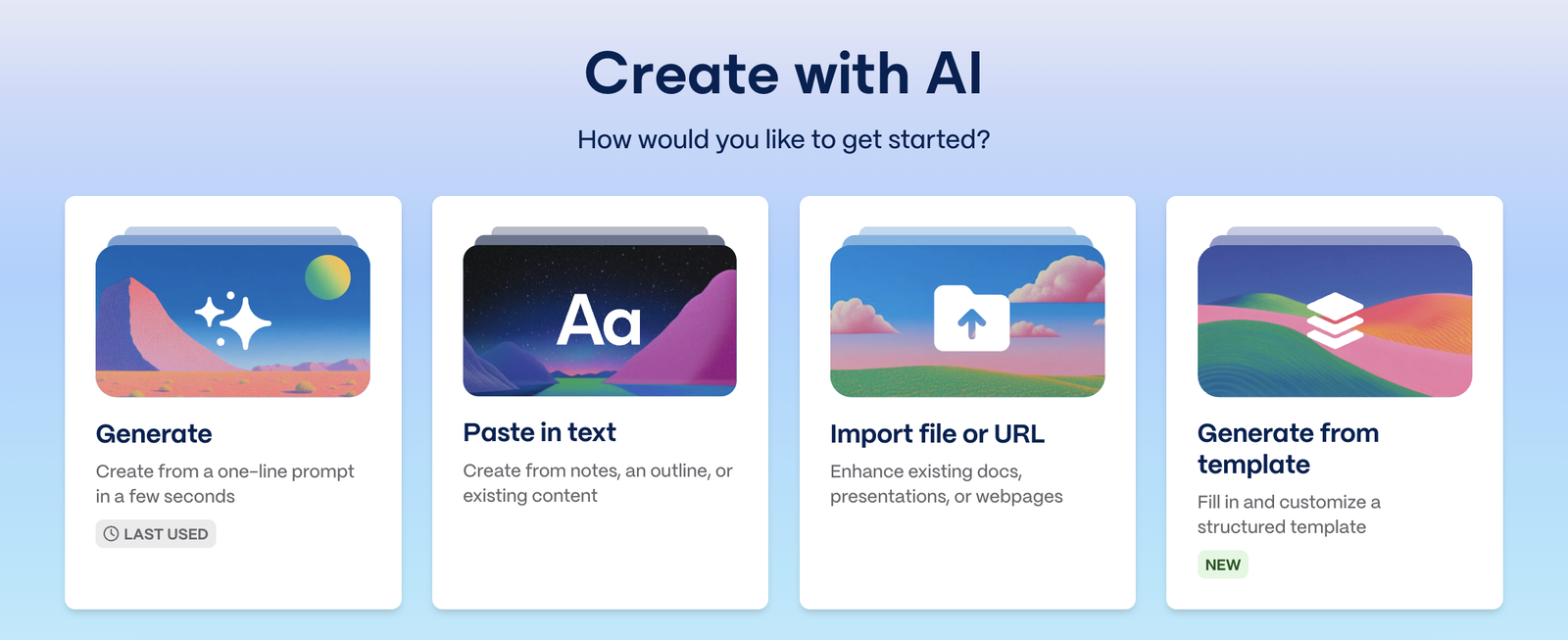
- Handles multiple input sources smoothly. Handles multiple input sources smoothly. Type a topic, paste text, drop in a webpage URL, or upload a file. You can add instructions for audience level, tone, and format preferences, then specify slide count and pick from available themes.
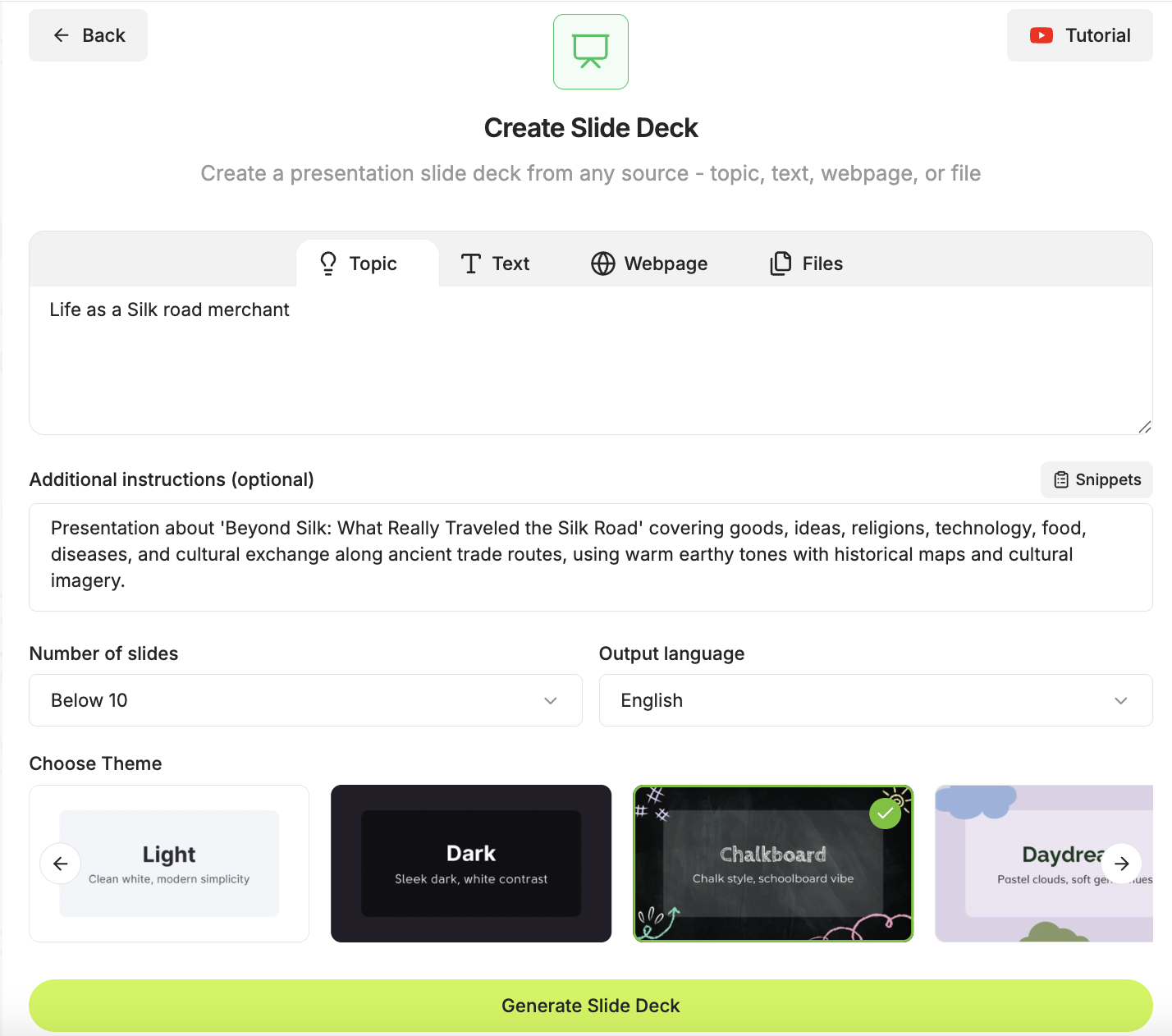
- Content is actually student-friendly. Student-friendly language that doesn’t oversimplify. The trading route explanations and cultural encounter descriptions worked as-is. You won’t spend hours rewriting to make it classroom-ready.
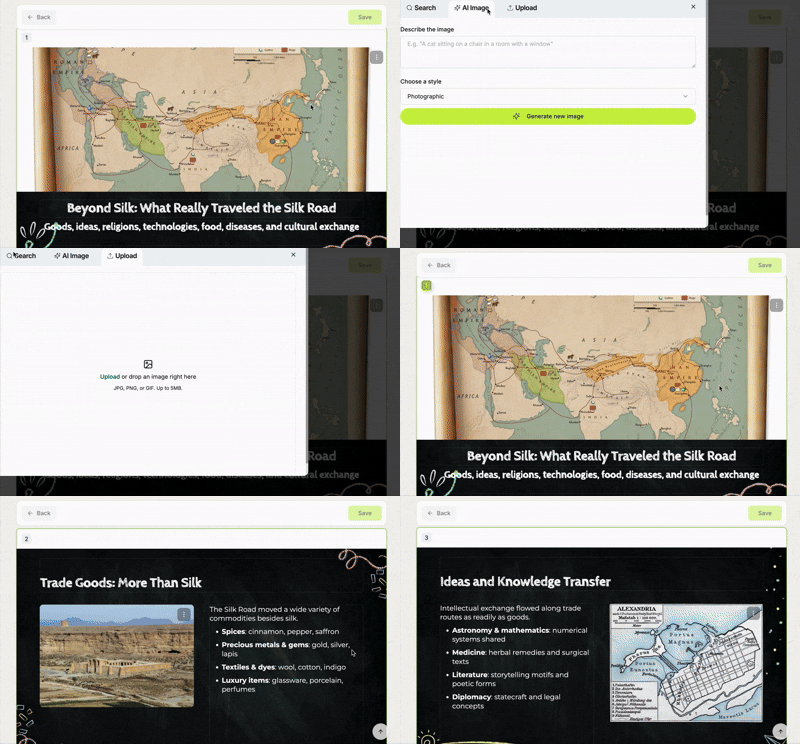
- Images are built right in. For every generation made, you have relevant photos automatically attached and pulled from the web. If you’re not happy, you can also generate AI images of different styles or just upload your own.
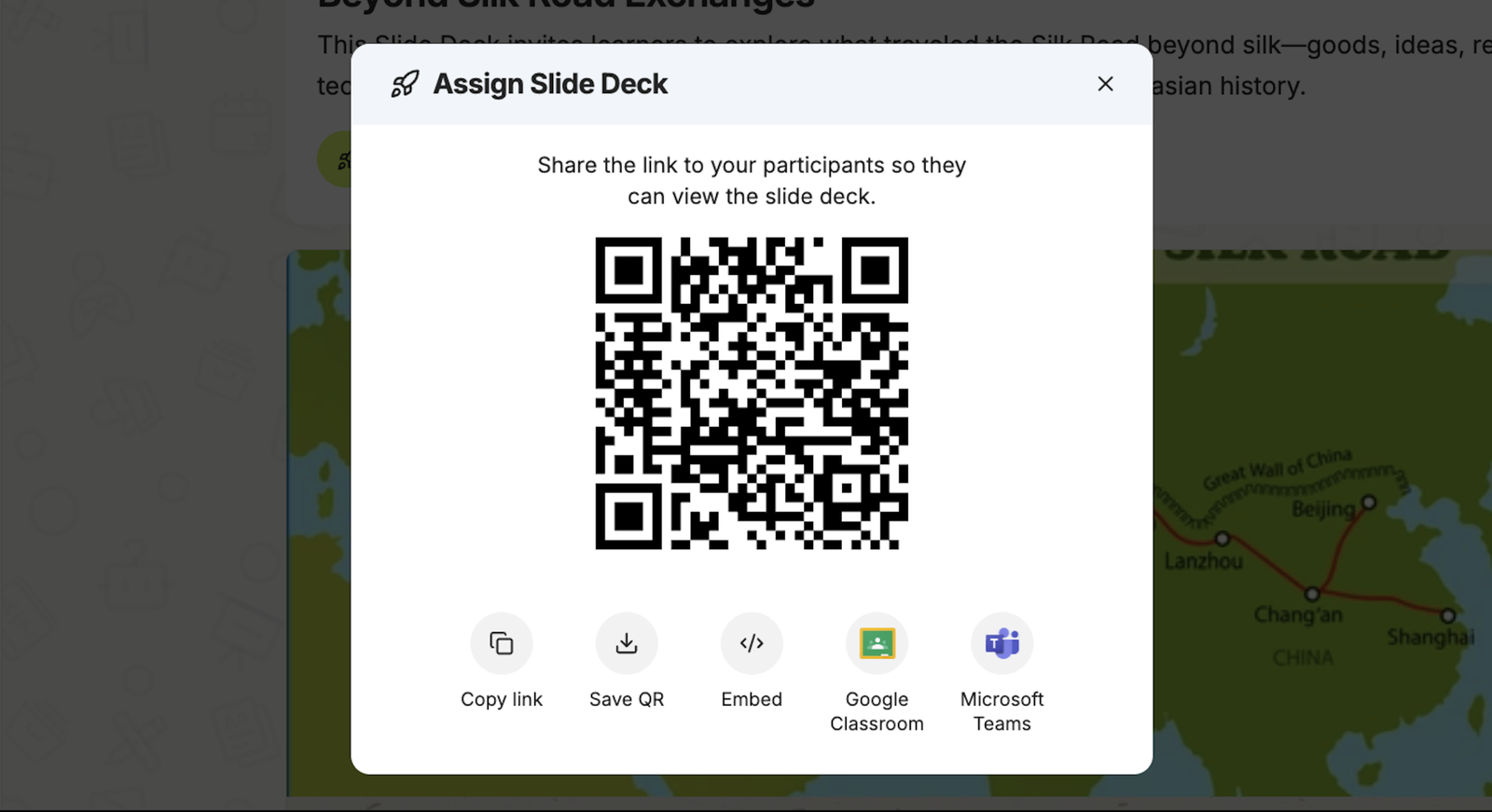
- Assign directly to students Generate a QR code or provide a link that students can access. You can also share directly into Microsoft Teams or Google Classroom. This feature makes slides accessible for students 24/7.
Want more ways to bring technology into your classroom? Explore practical strategies without the extra work.
Limitations
- Theme options are limited. You get functional designs but not a ton of variety. The “adventurous desert tones” we asked for came through in content but the visual themes may feel generic for niche topics.
- Export and customize elsewhere is the workaround. Download as PowerPoint and adjust the design there if you need more visual flexibility.
Overall: Edcafe AI understands classroom needs better than any other AI presentation maker here. The content quality surprised us in a good way with student-appropriate content and seamless classroom distribution. If you’re an educator who values substance over flashy designs and needs presentations that integrate directly into your teaching workflow, this is your tool. The time you save on content editing and distribution alone makes it worth testing first.
Want to see how it works in action? Here’s a quick walkthrough of the entire process from prompt to finished presentation.
2. Gamma (Best for Modern Interface)
Gamma is known for its clean, modern interface and web-style presentations. Just like Edcafe AI, we tested it with our Silk Road merchant prompt to see if it could handle creative historical content while maintaining its accessible design approach.
What We Love About It
- Interface feels modern and clean. Everything you need is right there without clutter. The workspace doesn’t assault you with options like some other AI presentation makers. Good for anyone who just wants to get started without a learning curve.
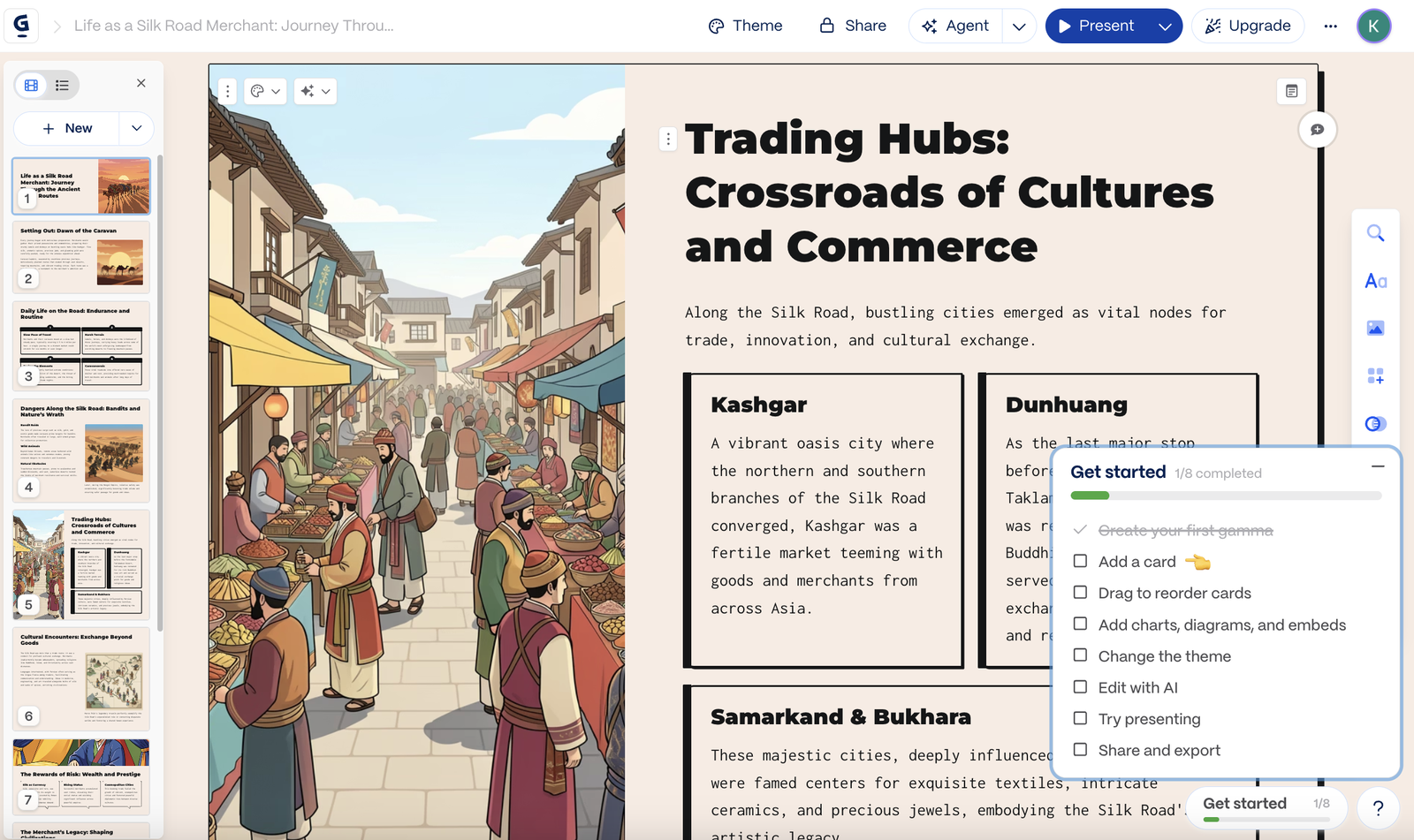
- Themes look professionally designed. For our Silk Road presentation, it selected earthy tones and layouts that felt appropriate without us specifying design details.
- Onboarding walks you through everything. The tool walks you through everything with checklists and tooltips. Each feature explains itself as you go.
- Fast generation without sacrificing polish. Created a complete deck in about 45 seconds. The scrollable, web-style format felt fresh compared to traditional slides.
Limitations
- Content quality uses less advanced AI models. The information about the Silk Road lacked depth. Surface-level points about dangers merchants faced but missed the nuance of why those dangers existed.
- Free credits run out fast. Generate two or four presentations and you’re looking at an upgrade prompt. The restrictive free plan pushes you toward paid tiers quickly.
- Theme selection is limited. You get quality over quantity but sometimes you just want more options to choose from.
Overall: Gamma works well if you value modern aesthetics and ease of use over content depth. Perfect for students, small business owners, or anyone who needs quick presentations without specialized features.
Want better content in Gamma? Pair it with ChatGPT for research first. We found this workflow video that shows exactly how to do it.
3. Prezi AI (Best for Narrative Storytelling)
Prezi‘s non-linear format seemed perfect for a journey-based narrative like the Silk Road merchant story. While Prezi markets to educators, business professionals, and content creators, we think it really shines for narrative-driven content and events where storytelling matters.
What We Love About It
- Non-linear format is perfect for storytelling. The merchant’s journey along the Silk Road worked beautifully with Prezi’s spatial canvas. Instead of just listing facts in order, the presentation followed the route geographically. This works for narratives, educational content that tells a story, or any presentation where the journey matters.
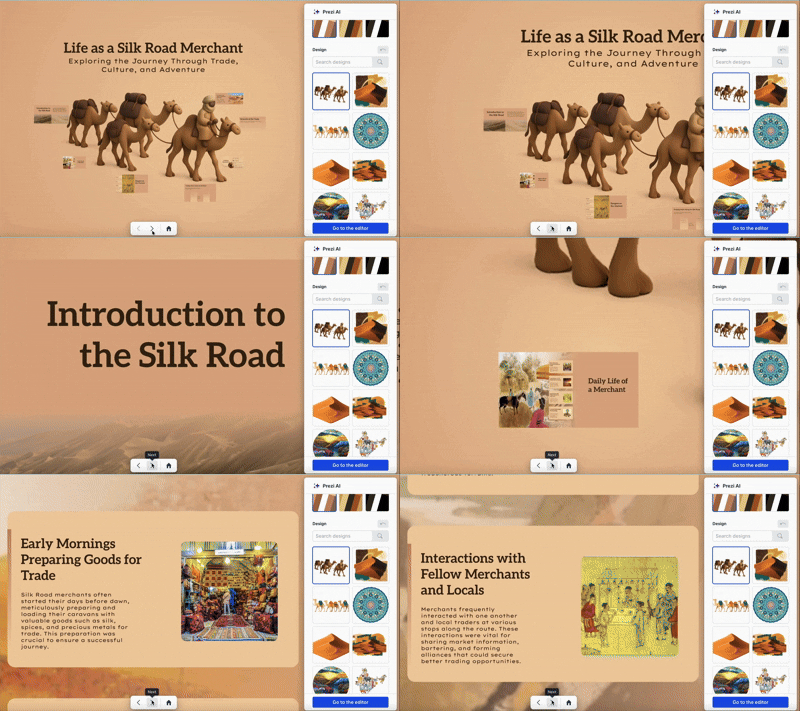
- Visuals are genuinely gorgeous. The subjects and landscape imagery came together beautifully. Great for events, conferences, or any situation where you need people to remember your presentation.
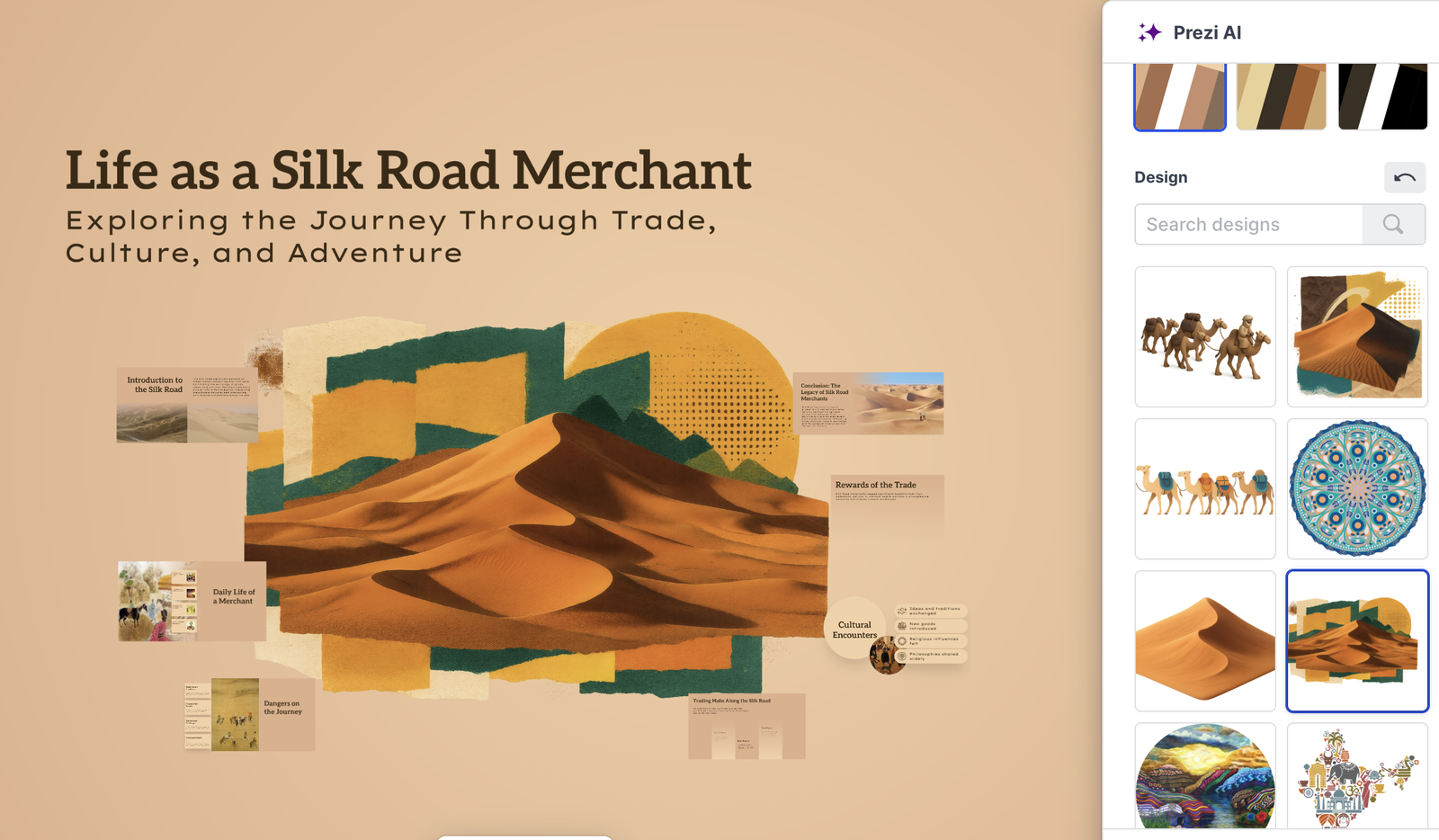
- Creates memorable presentations. The kind people actually remember because the format itself stands out. Perfect for educators teaching complex topics or business professionals who need to make an impression.
- Interface makes sense after the initial learning curve. Building presentations feels intuitive after your first project once you understand the spatial thinking required.
Limitations
- Motion sickness is a real problem. The zooming through the Silk Road journey looked amazing but some people cannot handle those camera movements. We’ve seen presenters switch back to slides mid-presentation because half the room felt queasy. Test this with your audience first.
- Learning curve for non-linear thinking. People expect slides. You need to teach them how to think spatially about presentations, which adds friction. Not ideal if you need something fast.
- AI content generation feels basic. The information about trading hubs was accurate but bland. Missing the storytelling potential that Prezi’s format actually enables.
Speaking of storytelling, want to use AI like a pro in your classroom? Check out 100+ ChatGPT prompts for different use-cases.
Overall: Prezi works brilliantly when you have a story to tell. If you’re creating engaging lessons, presenting at events, or building narrative-driven content, the format becomes part of the experience. For traditional business decks or printed materials, look elsewhere.
4. Slidesgo (Best Template Library for General Use)
Slidesgo is known for its massive library of presentation templates for PowerPoint and Google Slides. We tested it with our Silk Road merchant presentation to see how well its AI features match the quality of its design templates.
What We Love About It
- Massive theme library. When we requested adventurous desert tones, it offered multiple theme options with diverse aesthetic and thousands of templates to choose from.
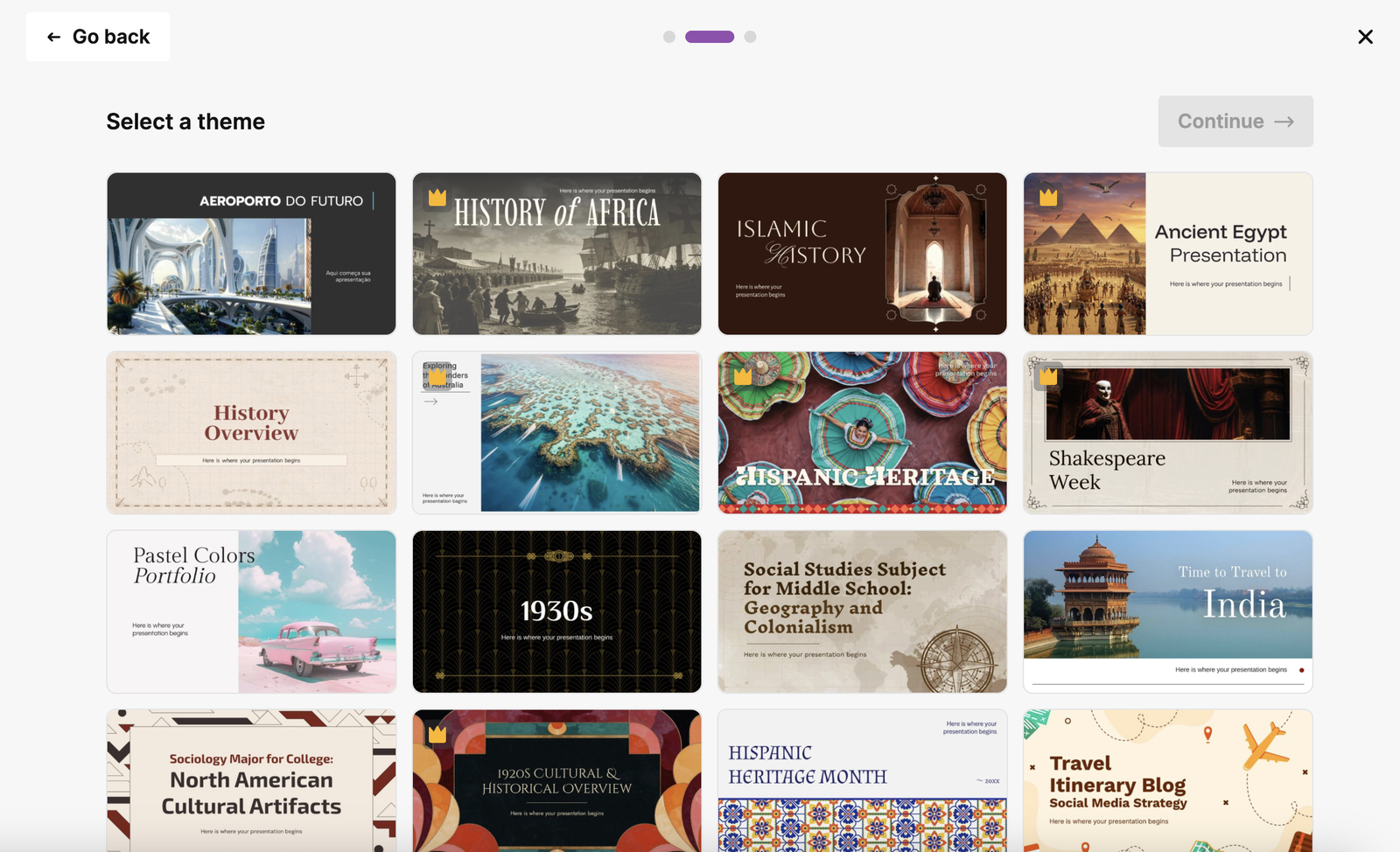
- Review and edit during creation. Slidesgo lets you catch issues during the process before finalizing. Good control over what ends up in your presentation.
- Export quality stays intact. Download to PowerPoint and everything transfers perfectly. All the visual elements remained consistent. No missing text boxes or shifted images.
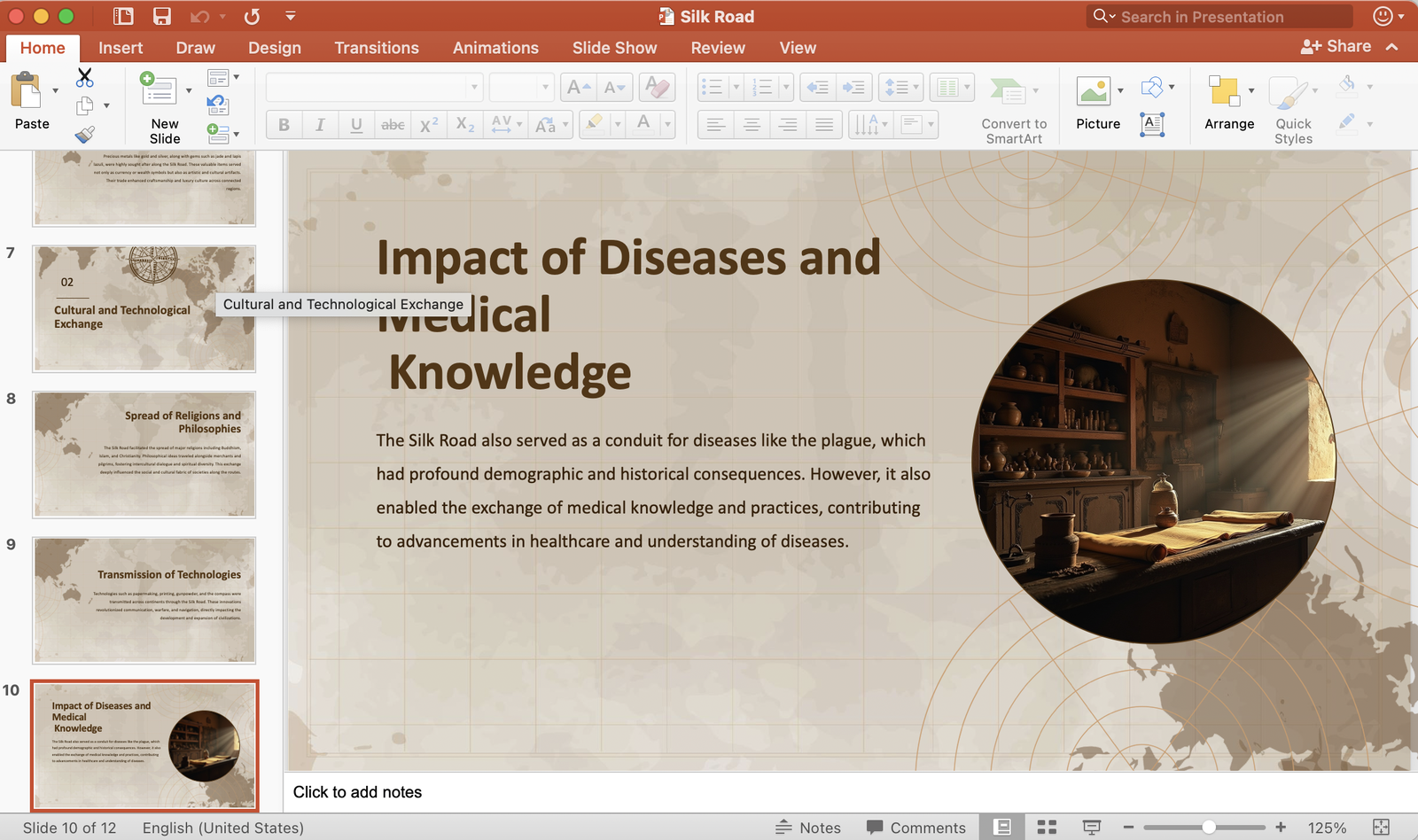
- Good for getting design inspiration. Even if you don’t use the AI features, browsing the template library sparks ideas for your own presentations. Great for general use when you need a starting point.
Limitations
- AI generation quality swings wildly. The Silk Road content was mostly solid but got weirdly specific about spice prices. Some facts were accurate, others appeared completely fabricated.
- No research step in the AI process. It jumps straight to content generation without understanding context deeply. This shows in the surface-level output. You’re essentially getting a pretty template with questionable content.
- Changing layouts after generation isn’t available yet. You pick your design direction upfront and live with it. The feature is coming but not here now.
- Free version limits AI credits significantly. You’ll burn through them faster than expected if you’re generating multiple presentations. The tool pushes you toward premium quickly.
Before diving into AI presentation makers, strengthen your AI research skills. Purdue University's guide shows you how to use AI tools effectively.
Overall: Slidesgo excels as a template library with basic AI features. If you need beautiful designs and plan to write content yourself, this works great. For AI-generated content that requires minimal editing, look elsewhere.
5. Presentations.ai
Presentations.ai focuses on business presentations with guided prompts and data visualizations. Unlike Slidesgo which is purely a template library, Presentations.ai is an AI-native platform that actually generates and structures your entire deck.
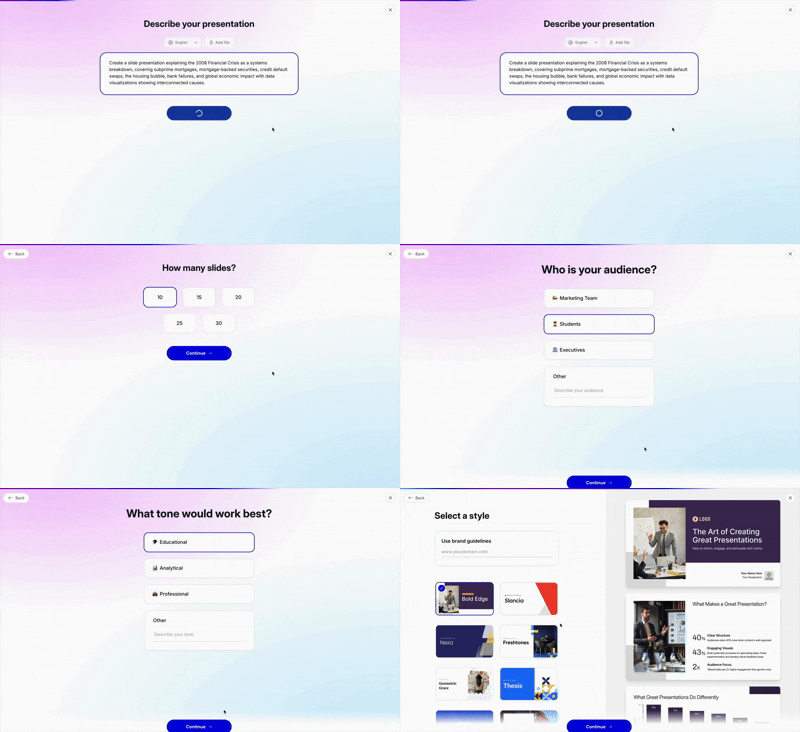
We switched to a business-focused prompt to test its strengths: “Create a presentation explaining the 2008 Financial Crisis as a systems breakdown, covering subprime mortgages, mortgage-backed securities, credit default swaps, the housing bubble, bank failures, and global economic impact with data visualizations showing interconnected causes.”
What We Love About It
- Asks thoughtful guide questions upfront. Who’s your audience? How many slides do you need? What’s the purpose? Presentations.ai shapes the content based on your answers. When we input our financial crisis prompt, it wanted to know if this was for students, professionals, or general public.
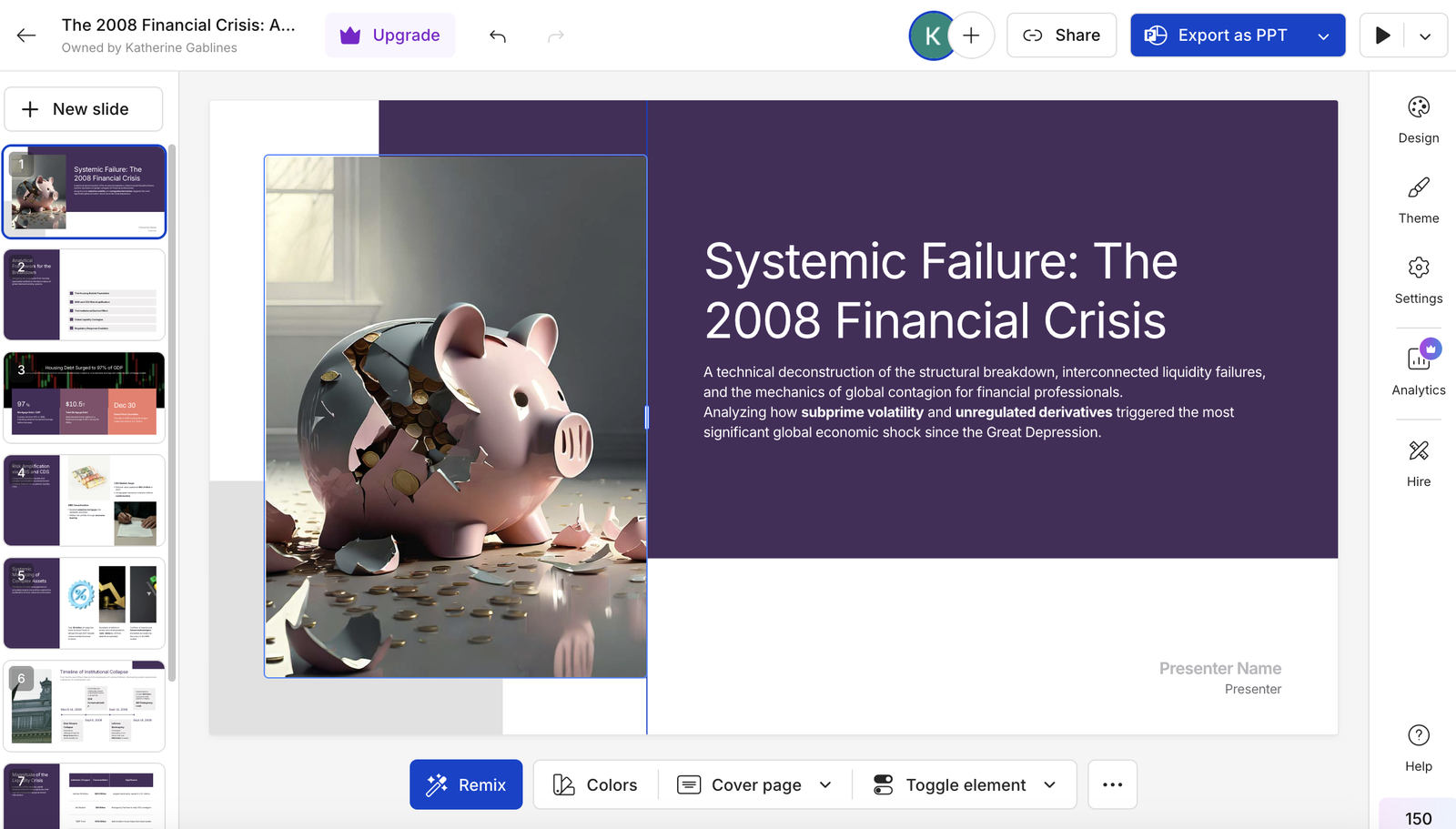
- Fact-checking prompts add a layer of quality control. After generating slides about the 2008 crisis, it asked us to confirm key statistics. Review this unemployment number. Check this bank failure date. Good reminder that AI needs verification.
- Automatic brand sync across slides. It maintains brand consistency automatically. Helpful for businesses that need cohesive decks.
- Data visualizations show interconnected causes clearly. The complex relationships between subprime mortgages, CDOs, and bank failures came through in visual diagrams that made sense. Helpful for business presentations that need to explain complicated topics.
- Clean professional design works for general business settings. The designs won’t win creativity awards but they fit most professional contexts. Boardrooms, client meetings, training sessions, department updates.
Limitations
- Only annual plans available. No monthly option means you’re committing to a full year or paying per presentation at inflated rates. Not ideal if you only need presentations occasionally.
- Content oversimplifies complex topics. The mortgage-backed securities explanation was technically accurate but missed nuance. Reading an outline instead of an actual presentation. You’ll need to add depth yourself.
- Less template variety than Slidesgo. If you want thousands of design options to browse through, Slidesgo wins. Presentations.ai focuses more on AI generation than template selection.
Overall: Presentations.ai works for business users who need professional decks with data visualizations. Unlike template libraries, this tool actually generates your structure and content. But the annual-only pricing and clunky interface make it less appealing for occasional use.
6. Canva AI (Best for Designers & Content Creators)
Canva AI is part of the larger Canva design platform, offering extreme customization and design flexibility. We tested it with our financial crisis prompt to see if its design power translates to quality business content.
What We Love About It
- AI chat panel teaches you to prompt better. Want to refine your presentation? Just talk to it. The AI asks guide questions about target audience, tone, and formality level.
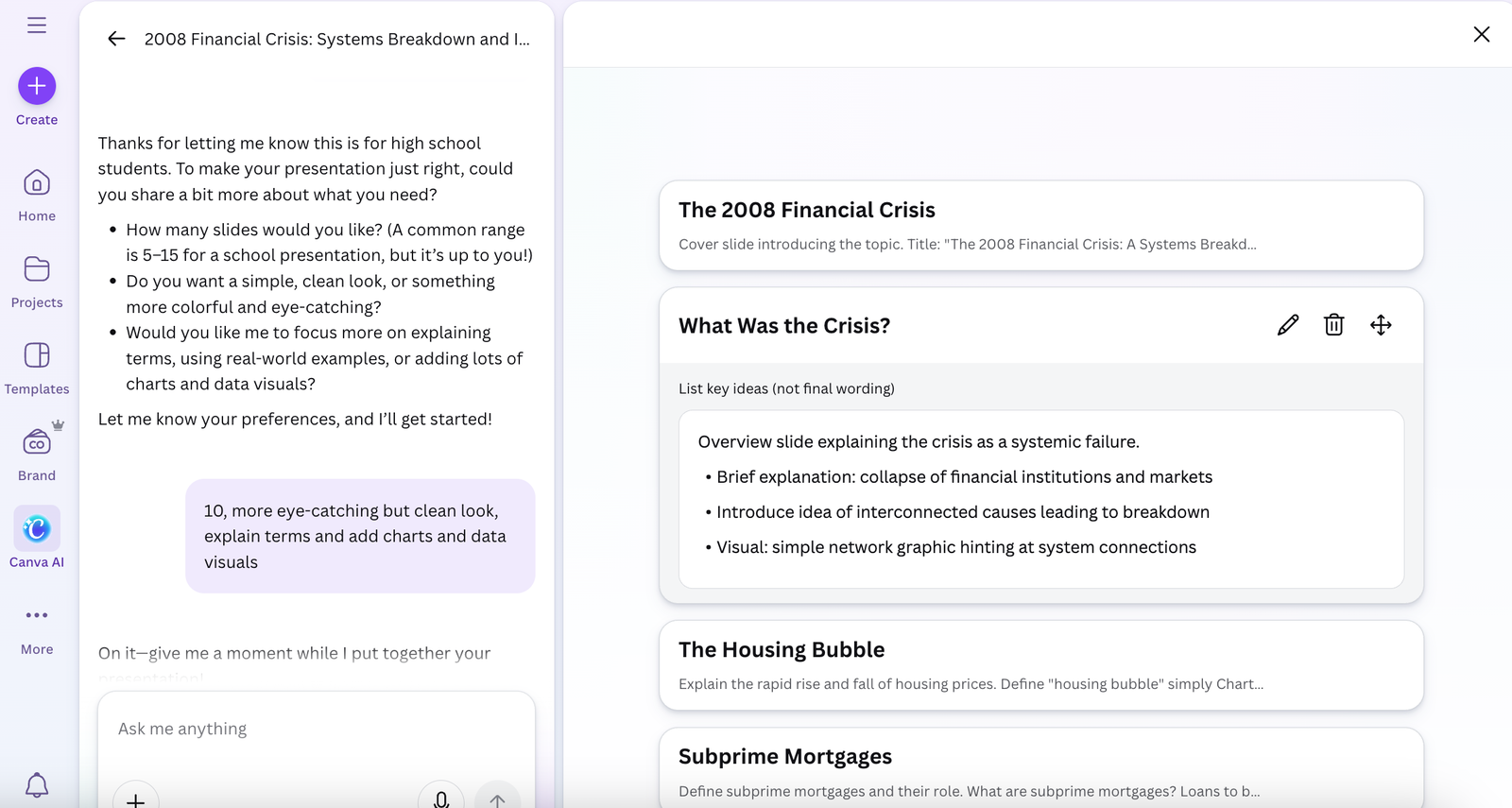
- Template variety is unmatched. The customization options are extreme especially in Pro version if you want complete control. Every color, font, spacing, layout element can be adjusted.
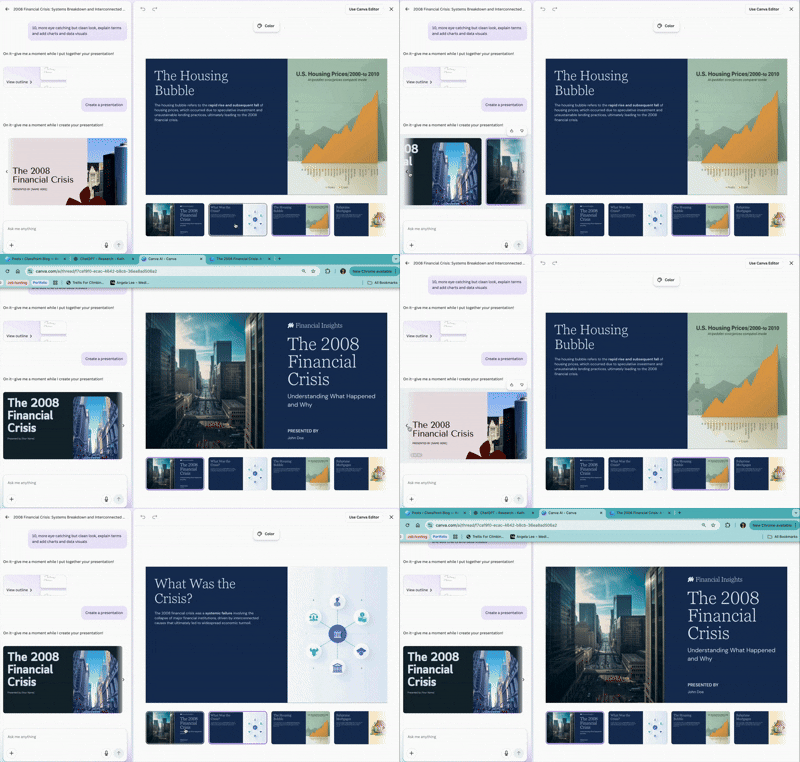
- Works well for multiple content types. Not just presentations. The same subscription covers social graphics, documents, videos, posters, infographics. Good value if you need design tools beyond slides. Perfect for designers and content creators juggling multiple projects.
- You can tweak literally everything. Colors, fonts, layouts, spacing, images, icons. If you can imagine it, you can probably adjust it. The level of control beats every other AI presentation maker here.
Limitations
- Too many options overwhelm non-designers. Canva presents an endless sea of possibilities. If you’re not a designer, this creates decision paralysis. Not the tool for quick one-off presentations.
- AI-written content feels generic and needs heavy editing. The explanation of subprime mortgages lacked the clarity needed to actually teach someone the concept. You’re getting pretty templates with placeholder text that needs complete rewriting.
- Free plan limits design elements significantly. All those gorgeous templates and customization options? Most require a pro subscription. You’ll feel teased by features you can’t access unless you pay.
- Export quality varies by subscription level. Free users get compressed files. Pro users get high-quality exports. The difference is noticeable on large screens.
Overall: Canva is a design platform first, AI presentation maker second. If you’re a designer or content creator who needs complete creative control across multiple content types, this delivers. For non-designers wanting quick AI-generated content, dedicated tools work better.
Want to unlock everything Canva AI can do? Here's a complete walkthrough of all its features.
Which AI Presentation Maker Should You Actually Use?
Here’s the truth. Every AI presentation maker here will generate content that needs your brain attached to it. AI makes stuff up. It sounds confident while being wrong. It misses context you take for granted.
Do your research first. Know your topic inside out. Use these AI presentation makers to speed up the design process but never fully outsource the thinking party.
Pick the best AI presentation maker based on what you actually need:
- Teachers? Start with Edcafe AI for student-friendly content and classroom integration.
- Designers? Canva AI gives you complete creative control.
- Storytellers and educators creating narrative presentations? Prezi makes your content memorable.
- General use? Gamma for clean modern slides. Slidesgo for template variety. Presentations.ai for business decks with data.
Test them yourself. They’re all free to try. See which AI presentation maker clicks with how you work. Because the best tool is the one you’ll actually use.
FAQ
What makes an AI presentation maker worth using over traditional slide tools?
An AI presentation maker goes beyond templates. It uses prompts or uploads to generate both your content and design structure, saving you time on writing and arranging slides. Many also offer layout design suggestions so you don’t start from a blank page. This can be a game‑changer when you’re on a deadline.
Can I edit a presentation created by an AI presentation maker afterward?
Yes. Most tools that generate slides let you export them to editable formats like PowerPoint or Google Slides, or include built‑in editors so you can tweak text, visuals, and layout after the AI makes the first draft. That way you keep control without rebuilding everything yourself.
Do people actually get professional‑looking slides from AI tools, or is it just basic designs?
Some tools deliver clean, professional layouts right away, while others feel more generic and need refinement. What matters is choosing a tool whose strengths match your goal whether that’s polished business slides, classroom lessons, or simple report decks.
Do AI presentation makers really save time, or do I still have to fix everything manually?
AI gives you a solid starting point by generating outlines and slides quickly. Most users find they still need to edit text or polish visuals, but AI cuts down the initial workload significantly compared with building every slide by hand.
Can these AI tools turn long content (like a report or lecture notes) into slides?
Yes, several AI presentation makers will take documents, outlines, or blocks of text and turn them into structured slide decks automatically, so you don’t have to paste slide by slide.
What should I look for when choosing the best AI presentation maker?
Key things to consider are content accuracy, design quality, customization options, and export flexibility. Also check whether the tool fits your audience (teachers, business teams, students) and how easy it is to use without a design background.
💡BONUS: Make Interactive Presentation Slides with ClassPoint AI
You’ve got your AI-generated presentation looking good with solid content. But here’s the problem with static slides, audiences zone out.
Already comfortable using PowerPoint and want to take your presentation slides up a notch with? ClassPoint AI turns your slides into interactive quizzes without leaving PowerPoint.
How ClassPoint AI works:
- AI Quiz Generator creates questions from your slides. Generates multiple choice, short answer, or fill-in-the-blank questions automatically based on your content.
- Aligns with Bloom’s Taxonomy levels. Target specific cognitive levels from basic recall to higher-order thinking.
- Inserts as interactive slides instantly. Quiz questions become clickable slides that run during your presentation without manual formatting.
- Real-time student responses. See who understands and who needs help immediately while you present.
