You’ve probably heard Culturally Responsive Teaching (CRT) in a team meeting or on a rubric. You’ve also seen it shrink into something quick to show: a bulletin board, a heritage week, or a math worksheet problem that swaps in basketball because someone called it “relevant.”
So what does it look like when it’s not a box to check? We’ll walk through what CRT actually means, why it matters for engagement, and small shifts you can apply to your classrooms without turning your month into a makeover.
If you’re already finding ways to teach diverse learners, this takes it further.
We’ll walk through how to hear from more students than the usual verbal round, and leave you with a clear first step.
Along the way you’ll see how tools like ClassPoint can support participation in ways that fit culturally responsive teaching
What Is Culturally Responsive Teaching?
Culturally responsive teaching is an approach where you use students’ cultural backgrounds, experiences, and ways of thinking as the basis for how you teach — not as an add-on. It treats culture as an asset that drives learning, not a challenge to work around.
The reasoning is simple. When what you’re teaching connects to what students already know and how they see the world, it’s “more personally meaningful, has higher interest appeal, and is learned more easily and thoroughly,” as Geneva Gay wrote in Culturally Responsive Teaching.
That’s not idealism, it’s how memory and motivation actually work.
But good CRT isn’t just about connection. Ladson-Billings argued it should produce three things:
- Academic success — students master challenging content, full stop.
- Cultural competence — students leave school with their identity strengthened, not flattened.
- Sociopolitical consciousness — students learn to ask hard questions about the world they live in.
What it Isn’t
It isn’t a heritage month assembly or a one-off “multicultural day.” Those are events, not teaching practice.
Changing “John buys 12 apples” to “Jamal buys 12 mangoes” isn’t culturally responsive. It’s a name swap with the same lesson underneath.
It also isn’t something only “diverse schools” need. Every classroom has culture.
The question is whether your curriculum acts as both a mirror (students see themselves) and a window (students see others), a frame from educator Emily Style that still holds.
Why Is Culturally Responsive Teaching Important?
According to National Center for Education Statistics, U.S. classrooms are more culturally and linguistically diverse than they were a decade ago. The classrooms have changed. The question is whether the teaching has kept up.
When it does, the difference is measurable. A Stanford study found that academically at-risk high schoolers given a culturally relevant ethnic studies course saw attendance rise by 21% points and GPA increase by 1.4 points compared to peers without it. A follow-up by Bonilla, Dee, and Penner confirmed those gains held over time.
That’s not extra work layered on top of good teaching. It’s what good teaching looks like when the room isn’t one-size-fits-all.
What Actually Works: Practical Shifts You Can Use
Knowing CRT matters is one thing. Knowing where to start is another. These shifts are small enough for a single lesson but repeatable enough to change how your classroom feels.
1. Learn who your students are (for real)
You can’t teach through students’ experiences if you don’t know what those experiences are. This isn’t a day-one survey and done. It’s ongoing: home languages, who’s in the household, what students care about outside school.
Talk to families. Listen to students. Pay attention to what comes up in conversation, not just what’s on a form.
The goal isn’t a cultural profile, it’s knowing enough to make your teaching decisions less generic.
In a modern classroom, this can be as simple as a Google Forms or Typeform survey: preferred name, home language, and “one thing you’d want me to know about how you learn best.”
The goal isn’t to gather data for a spreadsheet. It’s to spot patterns that shape your planning: which students might need more processing time, where you can pull in local examples, or who might not speak up without a different format.
These aren’t replacements for real conversation. They’re a starting point that gives you something to build on when the conversations happen.
2. Widen how students can participate
In most classrooms, participation means speaking up, fast, in front of everyone. That works for some students.
For others it’s a barrier. Not every student grew up in a culture where jumping into conversation is natural, and not every student’s past experience in school made speaking up feel safe.
Give students more than one way to respond. The format shouldn’t always reward the fastest or loudest voice.
How tech can help: ClassPoint’s Word Cloud lets every student contribute an idea at once, so you see the whole room’s thinking instead of one voice at a time.
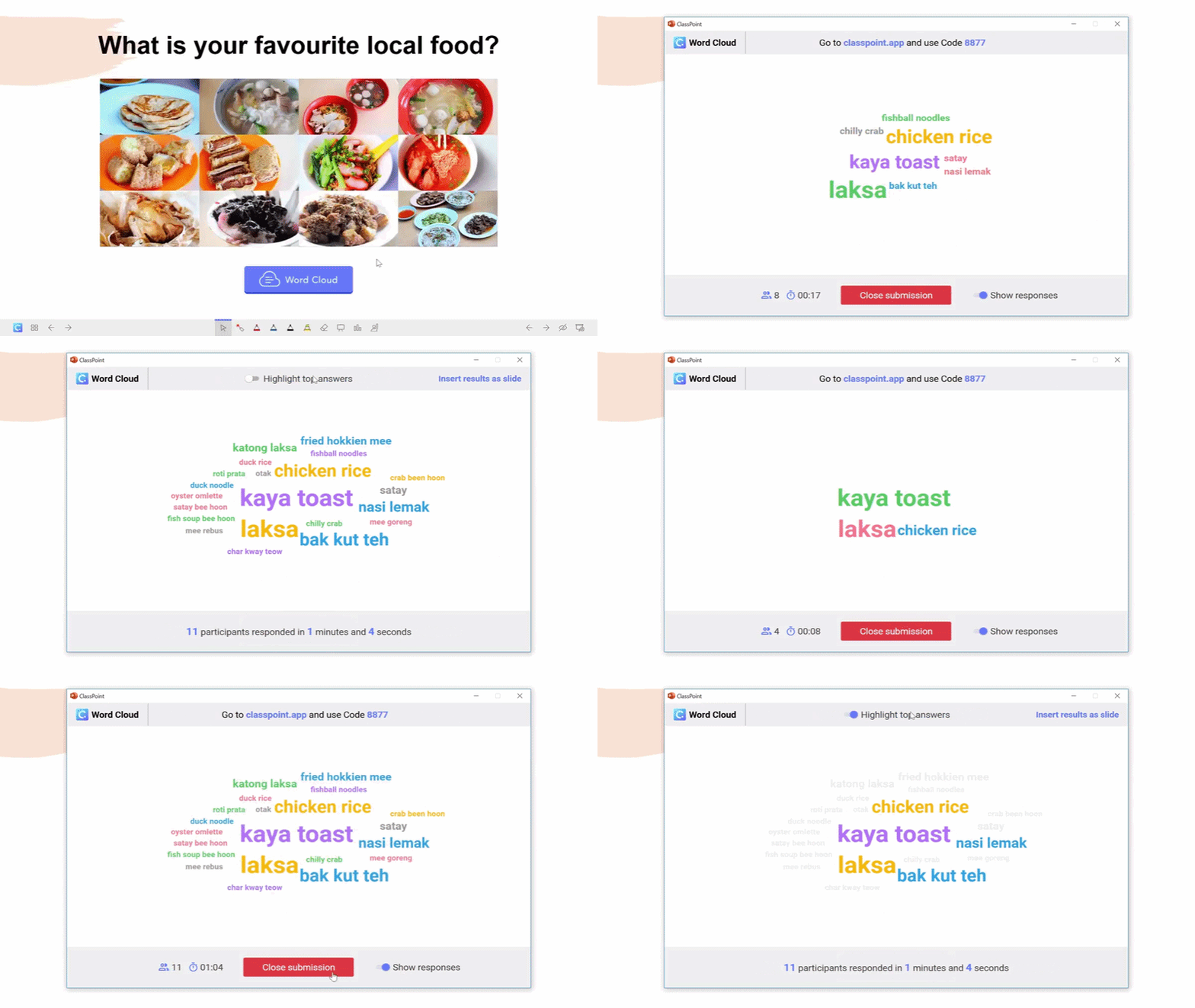
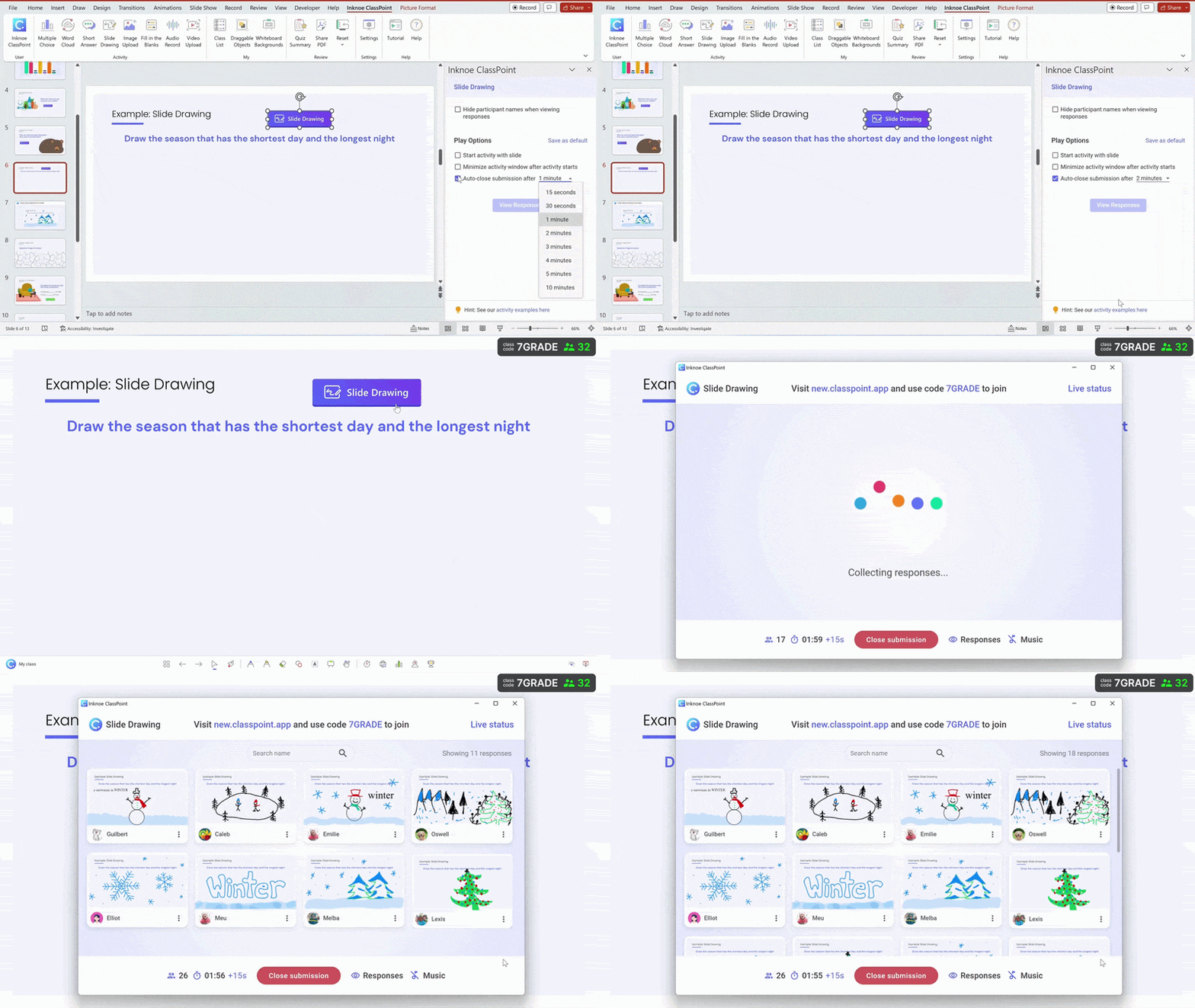
For responses that go beyond text, Image Upload, Video Upload, Audio Recording, and Slide Drawing let students show their thinking visually, verbally, or creatively.
If you don’t teach from PowerPoint, Mentimeter and Pear Deck offer similar whole-room response formats from any browser or Google Slides.
📖 Related: Participation gaps often trace back to unconscious patterns in who gets called on and how. See Identifying Teacher Bias and Improving Classroom Fairness
3. Make examples local and specific, not “generic diverse”
If your examples could come from any classroom in any city, they’re probably not landing with the students in yours.
Ground the work in what your students actually know. Use data from the neighborhood, issues the community is dealing with, or topics that come up in their conversations.
A math lesson on percentages hits differently when the data comes from a school lunch survey or rent prices on the block students walk every day.
Know the difference between “this connects to my students’ lives” and “this connects to what I assume about their culture.” Specificity, not stereotypes.
4. Check understanding in more than one mode
Most comprehension checks assume students can show what they know the same way: verbally, quickly, and in front of everyone. That’s not a neutral format.
It misses students who are still processing in a second language, students who understand the concept but freeze when put on the spot, and students whose strengths show up in writing, visuals, or conversation rather than rapid-fire Q&A.
Instead of asking “any questions?” and moving on, try a quick multiple choice, a fill-in-the-blank, or a short answer prompt to hear how students are making sense of the lesson?
How tech can help: ClassPoint lets you add interactive questions directly to your slides (multiple choice, fill-in-the-blank, short answer) and see responses in real time. You don’t have to wait until the end of the lesson to find out who’s lost.
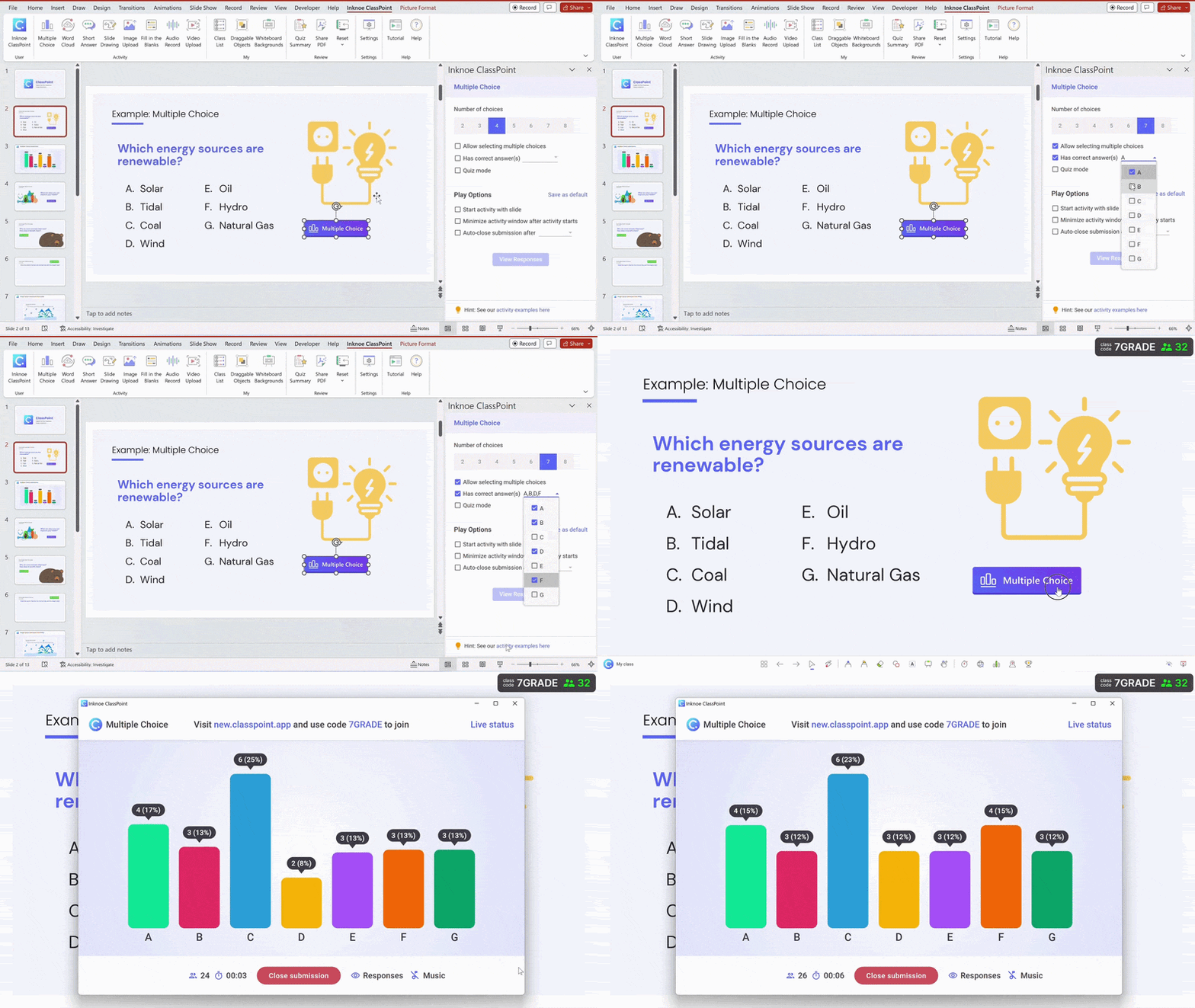
The point isn’t the tool. It’s checking in with more students, more often, before you move on.
Design slides for access
Slides packed with dense text and delivered at speed assume every student processes information the same way. They don’t.
Some students need more time to connect new ideas to what they already know from home. Others process better through visuals or conversation than walls of text.
When slides move before students are ready, the ones most affected are often those whose ways of learning don’t match the classroom default.
This is where Universal Design for Learning (UDL) and CRT reinforce each other. UDL removes access barriers. CRT asks whose barriers and why they exist.
Large text, chunked content, and predictable pacing aren’t just good design, they’re how you make sure students who would otherwise be excluded can actually engage.
How tech can help: Use ClassPoint’s annotation tools to work through ideas visually instead of only talking through them.
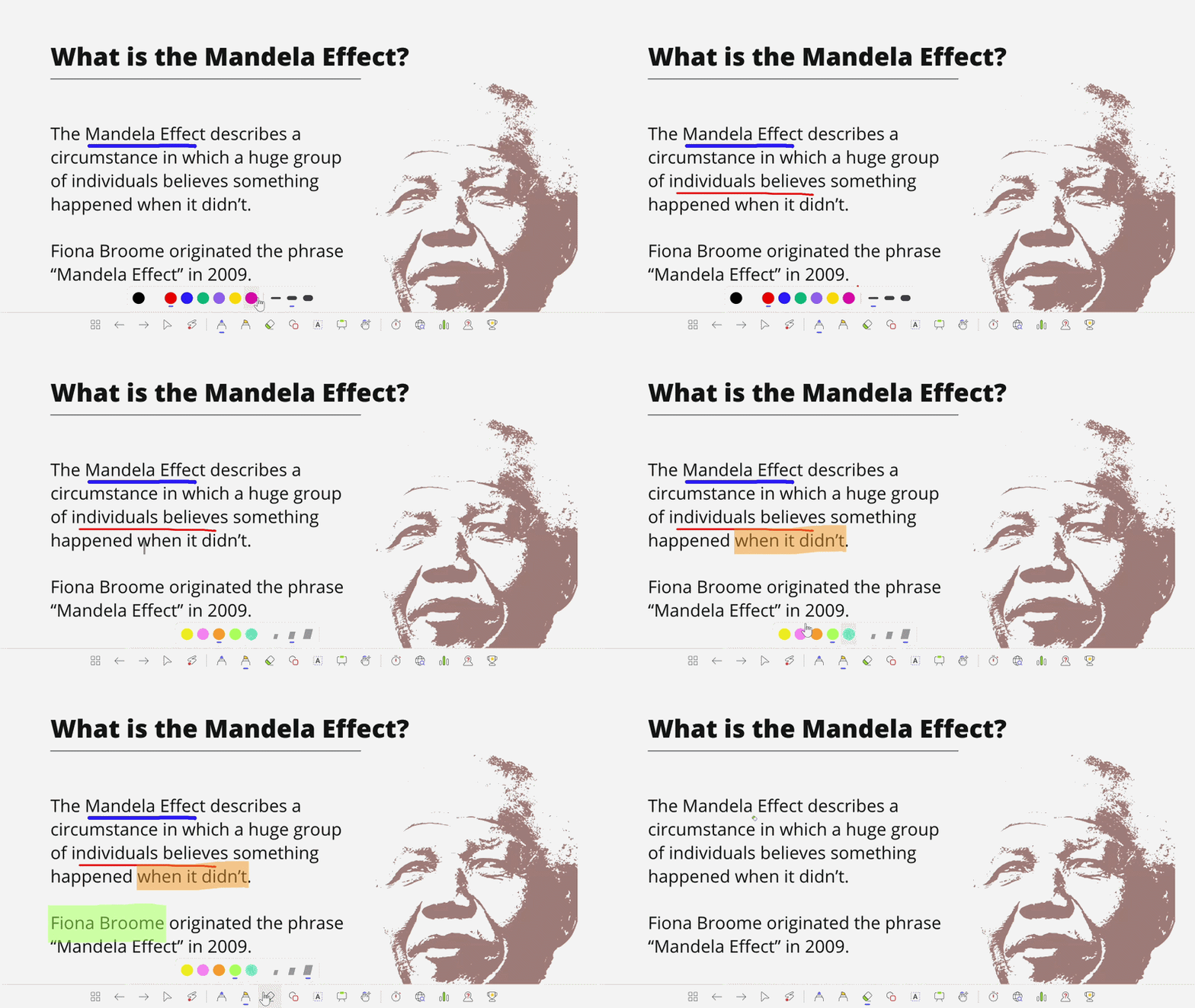
Drawing on the slide, highlighting key parts, or building a diagram in real time gives students a second way to follow the logic, not just your voice. For more on how to structure slides that guide attention, see storytelling in presentations.
Can technology support culturally responsive teaching?
Technology can support culturally responsive teaching when it removes a cultural barrier, giving a student who wouldn’t speak up a different way to respond, or letting you check the whole room’s thinking instead of relying on whoever raises a hand.
We’ve pointed to several tools throughout this guide that do exactly that. But tools alone don’t make teaching culturally responsive. How you use them does.
It’s not supported when tech just digitizes the same defaults. A digital worksheet still assumes one way of showing work. A tool-first lesson with no connection to who’s in the room is still culturally unresponsive, just on a screen.
No tool replaces knowing your students. If the relationship isn’t there, the tech is just noise.
💡 Reality check: not every student has a device, reliable Wi-Fi, or a charged battery. If your lesson depends entirely on tech, have a plan B. The shifts in this guide work with or without an app.
Bringing It Together
Culturally responsive teaching isn’t a program you adopt or a checklist you complete. It’s a set of daily decisions: whose voices get heard, what counts as participation, and whether the content connects to the students actually in front of you.
The goal is to make your classroom a place where more students can actually show up as themselves and do real thinking. That’s not an abstract goal.
Start with one thing from this guide. That’s not a small step, it’s the first one.
FAQ
Does culturally responsive teaching work in every subject?
Yes. Culturally Responsive Teaching asks isn’t limited to ELA or social studies. A math teacher can use local data in word problems. A science teacher can connect experiments to community issues. The principle is the same across subjects: ground the content in what students know, and give them more than one way to engage with it.
How is culturally responsive teaching different from differentiated instruction?
Differentiated instruction adjusts how you teach: pacing, grouping, complexity. Culturally Responsive Teaching asks whose knowledge and perspectives the teaching reflects. You can differentiate a lesson perfectly and still center only one cultural viewpoint. CRT addresses what’s being taught and who feels seen, not just how it’s delivered.
How do I start with culturally responsive teaching if I haven’t had formal training?
Start with one thing: learn who your students are beyond their grades. What languages are spoken at home? What do they care about? Then look at your next lesson and ask whether the examples, the participation format, and the way you check understanding make room for more than one kind of learner. You don’t need a certification to begin.
How do I know if my teaching is actually culturally responsive?
Look at who’s participating and who isn’t. Ask whether the students who stay quiet have a different way to contribute. Check if your curriculum includes perspectives beyond the default. If the same students are always leading discussions and the same ones are always silent, that’s a signal the format needs to change, not the students.
