
The first few minutes of a presentation matter more than most people admit.
This is when your audience decides whether they will sit back and wait things out or lean in and participate. For teachers, trainers, and presenters, that often feels heavy. People are listening, but they are not yet with you.
Ice breakers for presentations are good aids to explore here.
These quick, fun breaks lower the barrier just enough so people feel comfortable responding without fear of getting something wrong. The ideas below are practical, slide-friendly, and easy to run in sessions.
And since we like you (just a little bit 🤫), you might find a downloadable template towards the end, so be sure to stick around!
1. Would You Rather
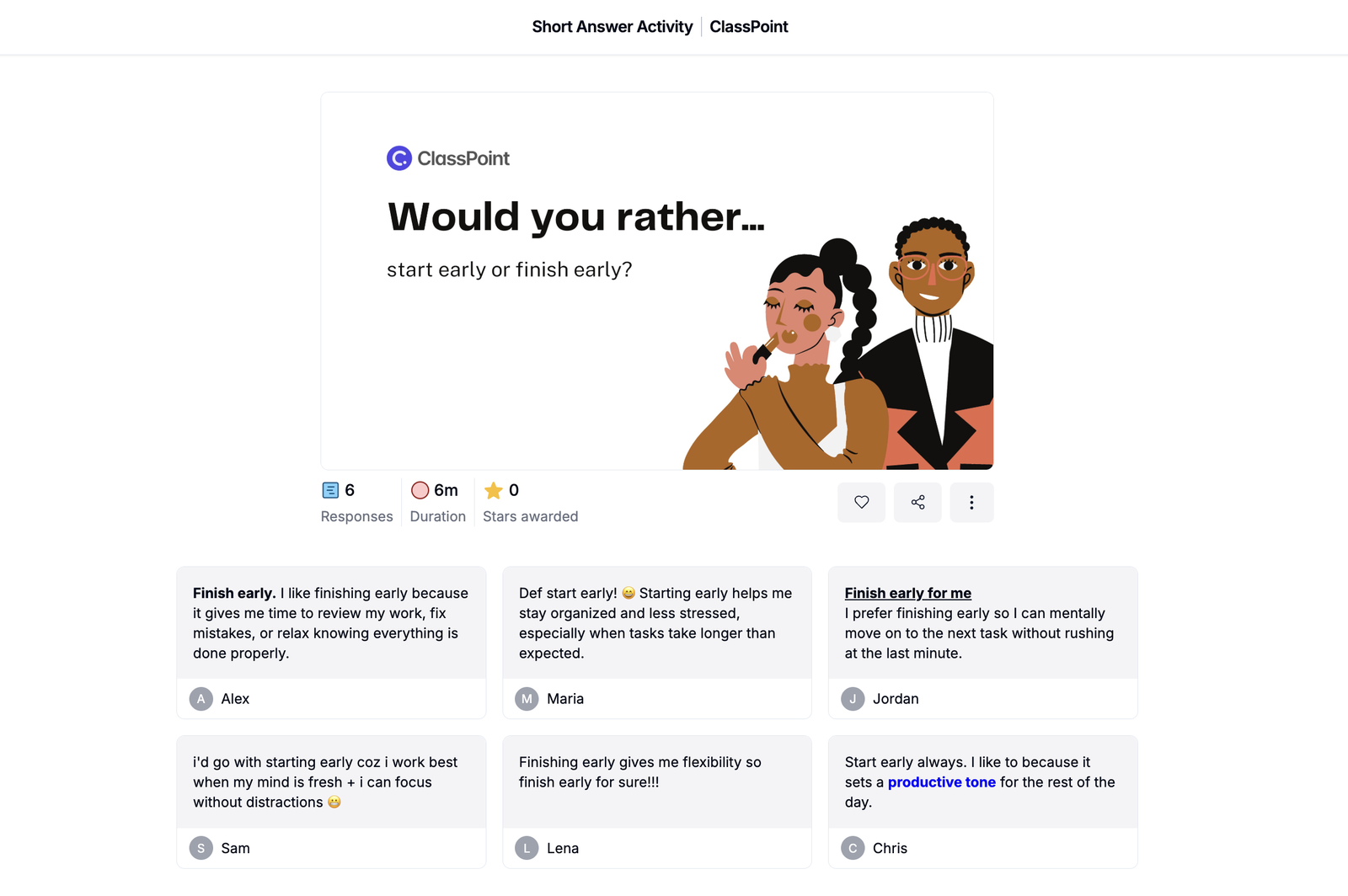
This is one of the safest ways to open a presentation.
A simple choice helps people engage without pressure. With a Would You Rather question, no one has to explain themselves.
You can place two options on a slide and ask participants to choose one.
Some examples that work well:
- Would you rather work in groups or independently?
- Would you rather start early or finish early?
- Would you rather learn by watching or by doing?
2. One-Question Check In
Sometimes the best ice breaker is simply asking how people are doing in relation to the session.
A single question can help you understand the room before moving forward.
You might ask:
- How familiar are you with today’s topic?
- How confident do you feel right now?
- How was your day so far?
This can be done with hands raised, a quick poll, or even a show of fingers. It takes less than a minute, but it tells your audience that their starting point matters.
For PowerPoint presenters, there's now a quick way to run polls on the spot. Check out our guide on How to Add Live Poll to PowerPoint.
3. Word Cloud Warm Up
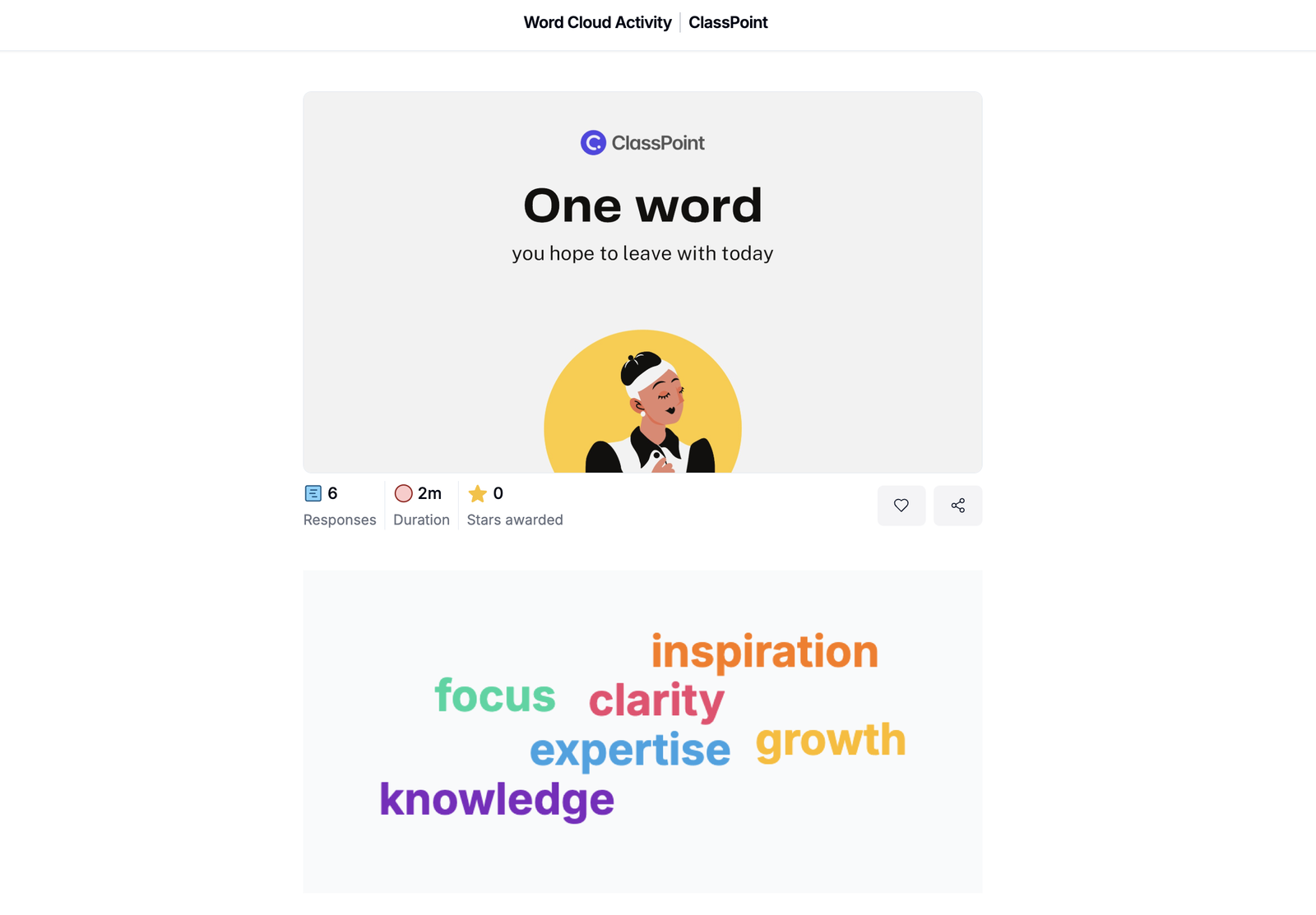
This works especially well when you want to surface ideas without calling on individuals.
Ask participants to respond with one word. Just one.
You could prompt them with:
- One word you associate with this topic
- One word that describes your last experience
- One word you hope to leave with today
As responses come in, patterns appear. You now have language that came directly from the audience, which makes the rest of the presentation feel more grounded.
Quick reminder before you use this:
- Keep responses anonymous
- Limit answers to one word
- Take a moment to read what shows up
Forming word clouds from your participants while presenting in PowerPoint is easy. Here's a straightforward guide on How to Create a Word Cloud in PowerPoint.
4. Two Truths and a Lie Slide
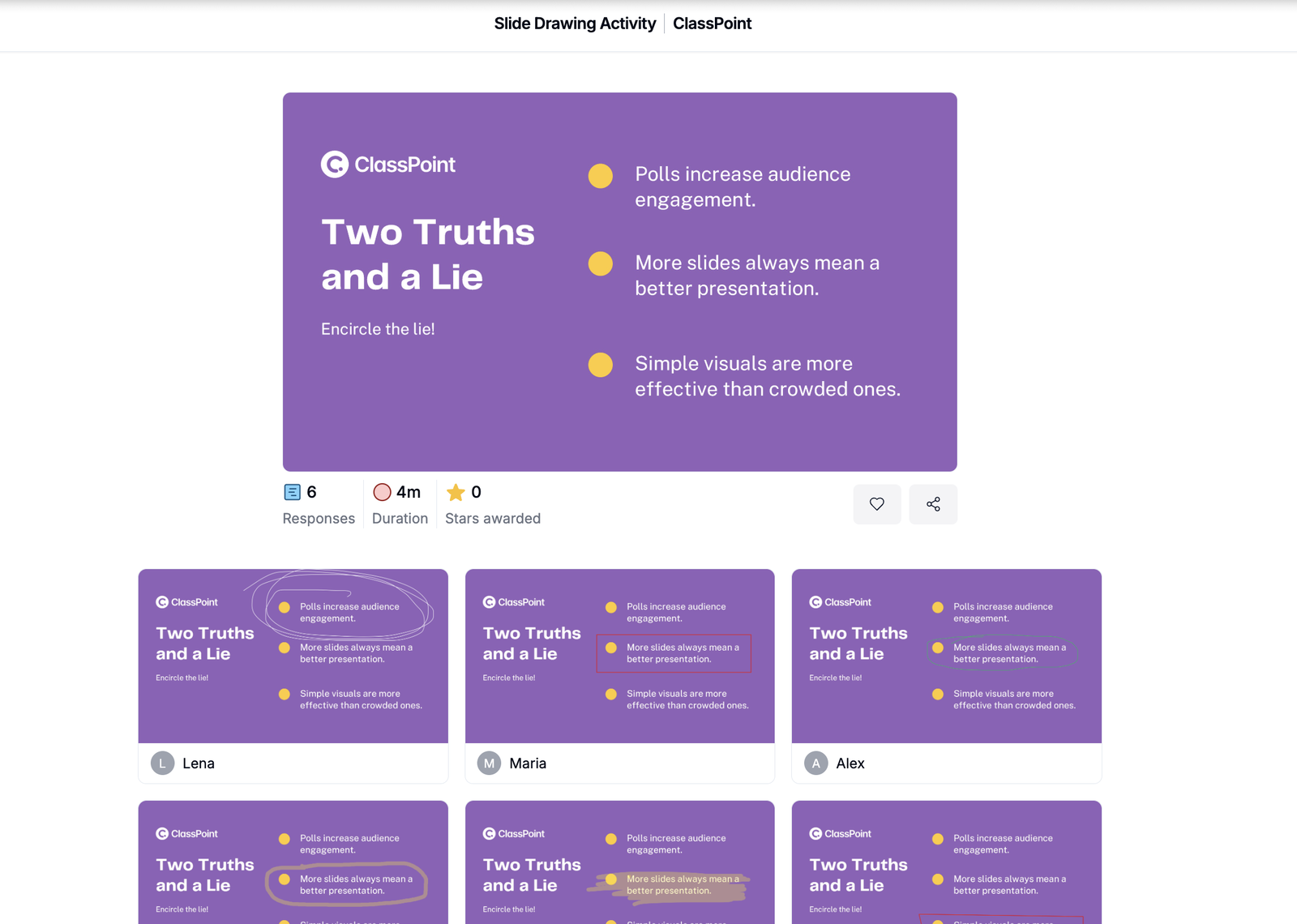
This classic works well when adapted for presentations.
You can place three statements on a slide and ask the audience to identify which one is false. The statements can be about you, the topic, or common assumptions related to the session.
This approach helps introduce information in a way that feels conversational rather than instructional. People enjoy the challenge without feeling put on the spot.
5. Emoji Reaction Board
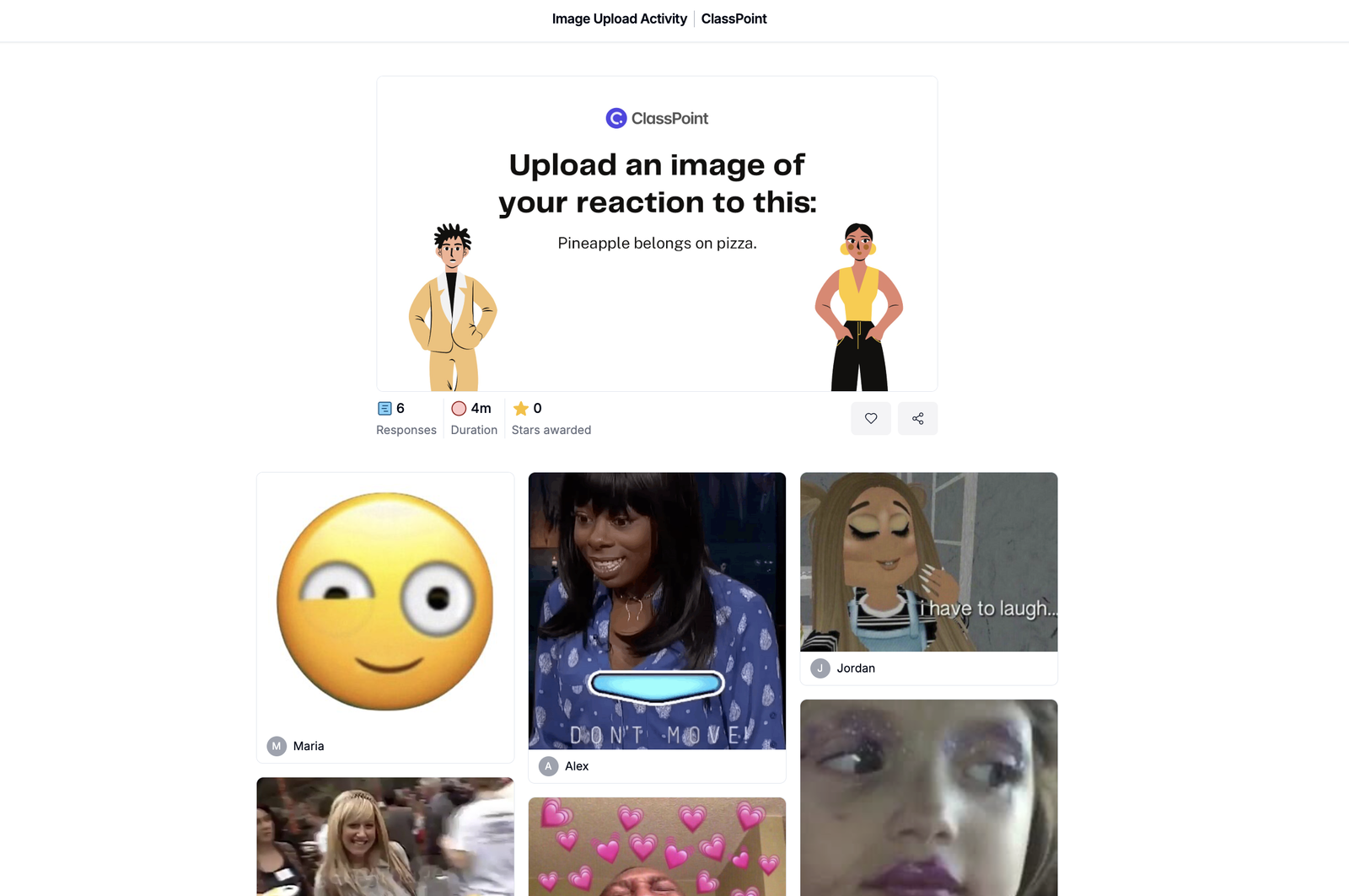
When words feel like too much, emojis do the work for you.
Ask participants to react to a statement, a result, or a scenario using an emoji. This is especially helpful in larger groups or when energy levels are low.
It gives you quick feedback while keeping things light and accessible.
6. Finish the Sentence
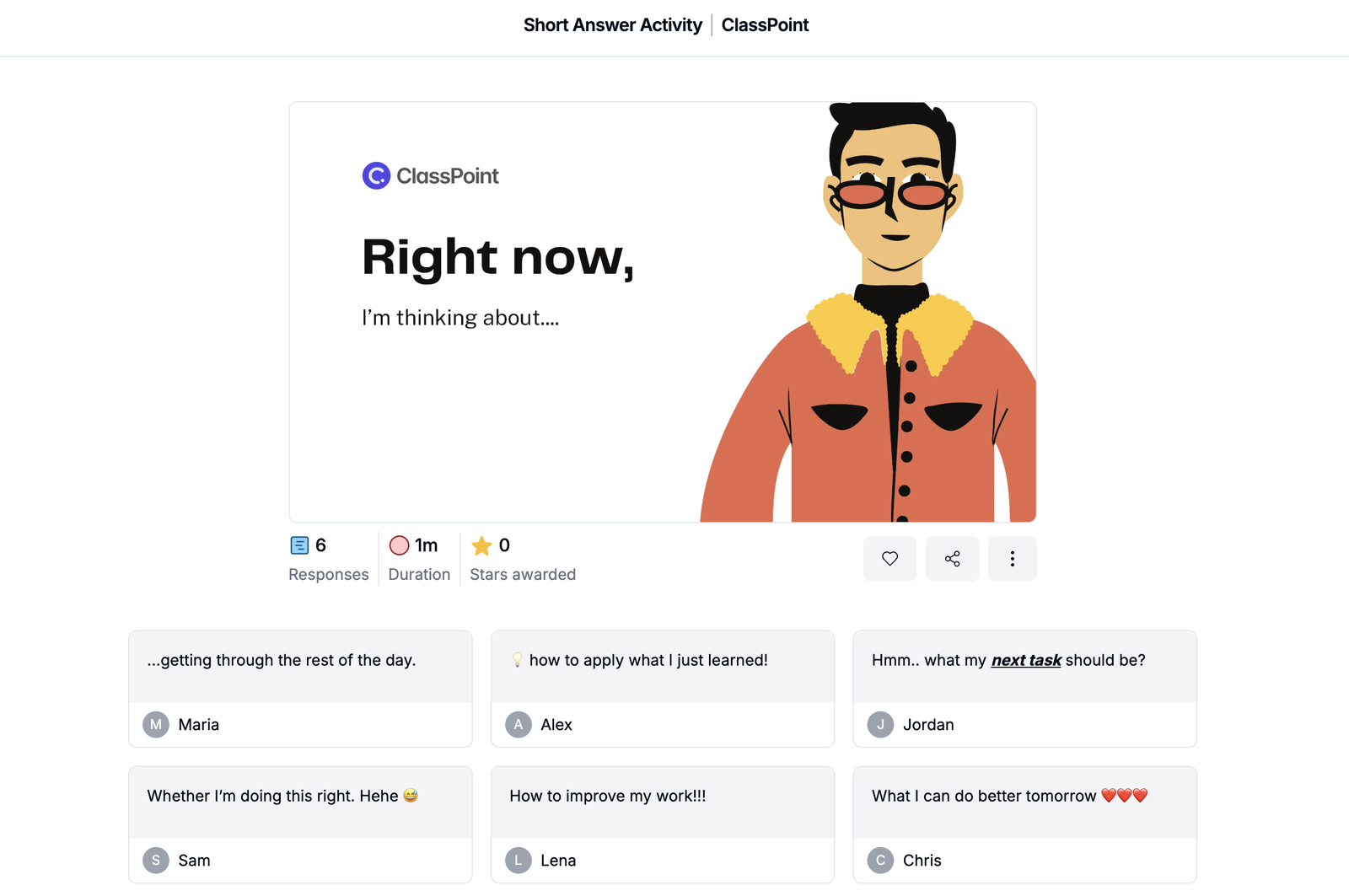
This ice breaker encourages reflection without forcing discussion.
Provide a sentence starter and give participants a moment to complete it silently or submit a response.
Some examples include:
- Right now, I am thinking about….
- One thing I find challenging is….
- By the end of this session, I want….
Even if no one shares aloud, people are already mentally engaged with your content.
7. This or That Visual Choice
This ice breaker uses visuals instead of text.
Show two images and ask participants to choose one. There is no correct answer. The goal is simply to get people responding.
This works well for creative sessions, strategy discussions, or any topic where interpretation matters.
8. What Changed Since Last Time
If you are meeting with the same group again, this is a simple way to reconnect.
Ask participants to reflect on what feels different now compared to the last session.
You could prompt them with:
- One thing that makes more sense now
- One thing you tried since last time
- One thing that still feels unclear
This also gives you insight into what stuck and what needs revisiting.
Reconnecting with the same audience can be tough at time. Make sure you know How to Encourage Audience Participation Without Forcing It.
Turn Ice Breakers for Presentations Into Real Participation
Ice breakers work best when everyone can take part, not just the few people willing to raise their hands.
If you are already presenting with PowerPoint, which most teachers, trainers, and presenters are, this is where ClassPoint fits in naturally.

The ice breakers shared in this blog are, by nature, question-based. Instead of relying on hand signals or asking people to stand up, you can involve the whole room from their own devices right from the start.
With ClassPoint, you can
- Run interactive questions that let your audience submit text and multimedia responses, including drawing directly on your slides
- See real time submissions appear back on your PowerPoint as people respond
- Gamify ice breakers using a star based point system to keep energy high
- Support live presentations with tools like wheel of names, quick polls, timers, and more
This keeps participation simple, visible, and inclusive, especially in larger rooms where voices are harder to hear.
And just as promised, there is a free downloadable template waiting for you. It already includes ready made ice breaker questions plus clear step by step instructions so you can run them in your own presentations with confidence.
Interactive Presentation Ice Breakers
Run interactive ice breakers in PowerPoint with this free downloadable template!
Sometimes all it takes is making the first interaction easier. When you do that well, the rest of the presentation follows naturally.
