
There was a time when presentations were reserved for special occasions, with a select audience in mind.
For teachers, however, that’s no longer the case. Now, presentations are a daily affair, and your special audience is your students. You’ve got to make an impact.
And as classrooms continue to evolve with modern tools and technology, interactivity is king. So now, you’ve got a presentation to prepare, and interactivity to weave in. No big deal, right?
Sarcasm aside, it’s actually not as difficult as it may seem. With the right interactive presentation tools, it’s all within reach. And, luckily, there’s no shortage of great options. But two tools tend to rise to the top: Curipod and ClassPoint.
In this blog, we’ll compare these two tools side by side, so you can make an informed decision about which one might serve your classroom best.
TL;DR: Curipod Vs ClassPoint At a Glance
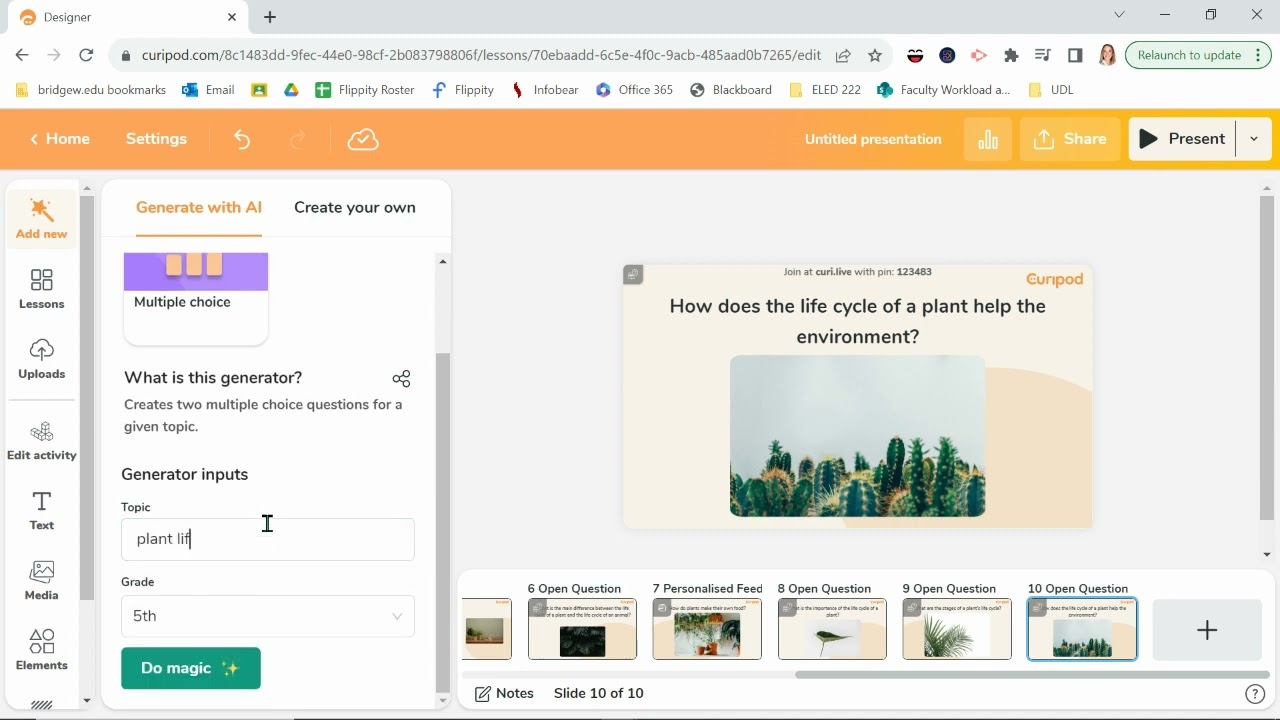
Curipod is essentially a presentation tool that lets teachers embed activities into the slides they create, and have students conveniently access those activities right from their devices, even supporting self-paced interaction.
ClassPoint, at its core, acts the same. As ClassPoint lives inside PowerPoint, its edge lies in being integrated into a presentation tool teachers already use by default. But aside from interactive presentations alone, as its name suggests, it brings your whole classroom to PowerPoint.
Let’s look at each on a high level:
| Category | Curipod | ClassPoint |
|---|---|---|
| Core Platform Type | Web-based with available integrations | Integrated into PowerPoint, no need for external apps |
| Session Style | One-off sessions only, self-paced interaction | One-off + private classes for better student tracking and security |
| Ease of Use | Requires familiarizing with a new interface | No learning curve for PowerPoint users |
| Interactivity | Basic (Polls, Drawings, Open Q’s, Word Cloud) | Advanced (MCQs, FIB, image/video uploads, Quick Poll with more options) |
| Gamification | Not included | Stars, levels, badges, leaderboards for motivation |
| Live Presentation Tools | Freeze, timers, voting, content moderation | Dynamic tools (Live Inking, Name Picker, Timer, Drag & Drop) |
| AI Integration | Lesson creation + real-time feedback | AI-powered quiz generator, session analysis, and more |
| Student Engagement | Moderate engagement features | High engagement with multiple interactive options |
| Tracking & Reporting | Basic tracking of student responses | Advanced tracking of student progress across sessions |
Slide Prep
Curipod, by default, is a web-based platform. As soon as you enter the teacher web app, you can start creating slides right away. Much like the popular presentation tools you’re familiar with such as PowerPoint, Canva, or Google Slides, you get access to all the essential elements needed to craft a presentation.
However, during your first test run, things might feel a little different. The layout for adding text, images, and other content might not be in the places you’d expect, which could take a bit of familiarization. But don’t worry, it’s nothing major!
One of the perks of Curipod is its public library, where teachers share their creations. This means you don’t always have to start from scratch when you’re putting together your presentation.
ClassPoint, on the other hand, doesn’t require any new learning when it comes to slide prep. Since it’s integrated directly into PowerPoint, your existing slides are the foundation ClassPoint works with.
You can easily add interactive activities right into your slides using the PowerPoint ribbon. And when it’s time to present, the interactive tools for live engagement are conveniently located just below the screen, as a toolbar.
Unsure how to start with ClassPoint? Here's a quick guide on how to Create a Lesson with ClassPoint from Start to Finish.
Interactive Activity Types
Curipod offers four main interactive activity types:
- Open Question: Participants can respond in longer sentences, encouraging deeper engagement.
- Poll: Students vote on various options, making it easy to gather quick feedback.
- Drawings: Get students involved by having them draw directly on your slides.
- Word Cloud: Display a visual word cloud filled with student thoughts and responses.
ClassPoint includes all the activities Curipod offers, plus a few additional features. In addition to the same activity types you’ll find in Curipod, ClassPoint also provides:
- Classic MCQ and FIB: Multiple choice and fill-in-the-blank questions.
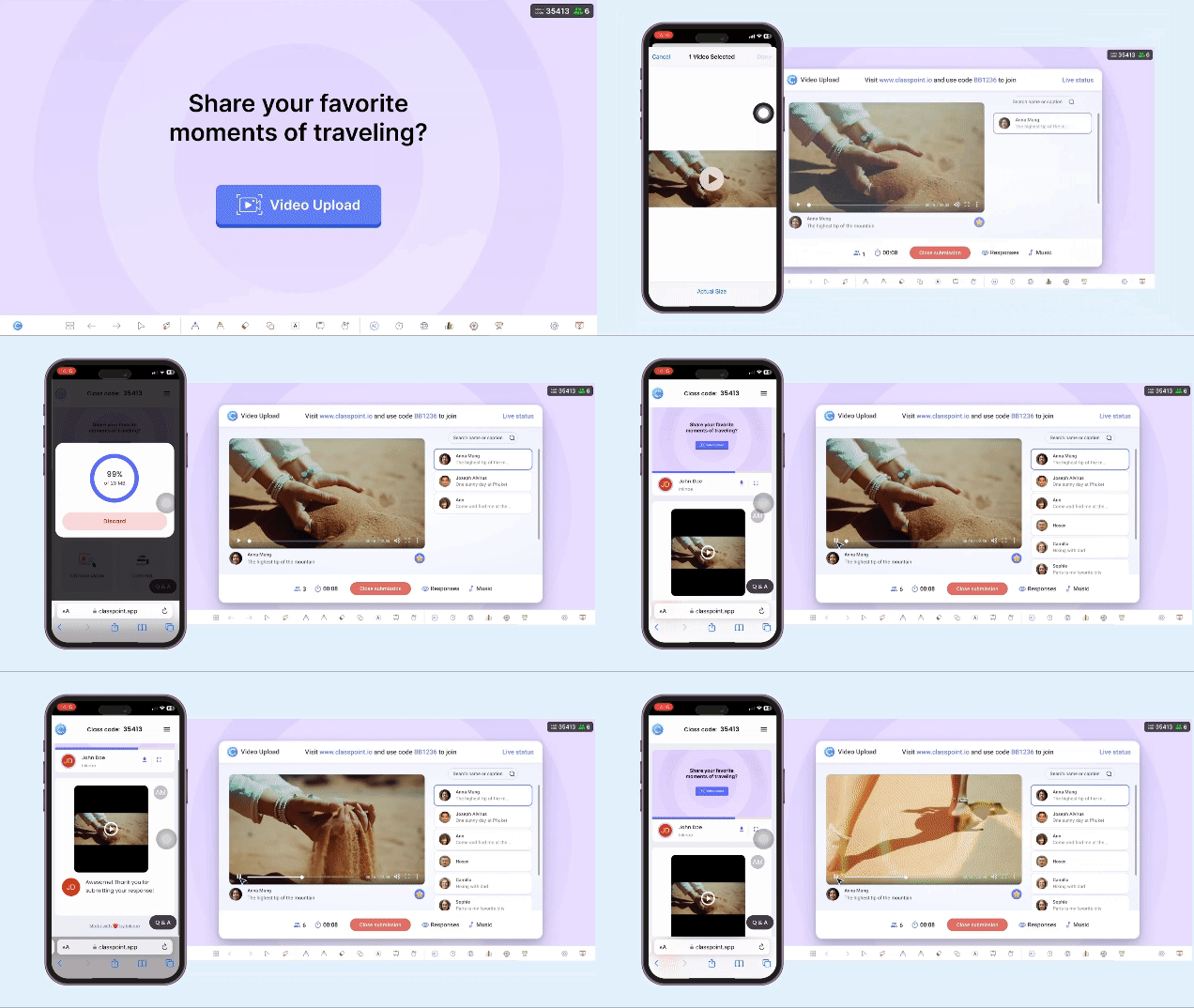
- Image and Video Upload: Students can submit images and videos as responses, either from their devices or the web.
- Audio Record: Allows students to submit audio recordings.
ClassPoint’s Quick Poll also offers a wider variety of options. Beyond the traditional multiple-choice poll, you can also use True/False, Yes/No/Unsure, or feedback rating poll types.
The great thing about both tools is that they both offer robust tracking of student submissions. For both Curipod and ClassPoint, student submissions are automatically saved after the presentation, making it easy to review later.
Student Access
Both Curipod and ClassPoint operate on a similar principle when it comes to student access. Joining a session is simple—students just go to a participant app, enter a code, and they’re in!
The main difference, however, lies in how these sessions are set up for students to access.
Curipod is designed around one-off sessions. You create a presentation, launch it for students to join, wait for everyone to log in, and once the class ends, the next presentation follows the same pattern.
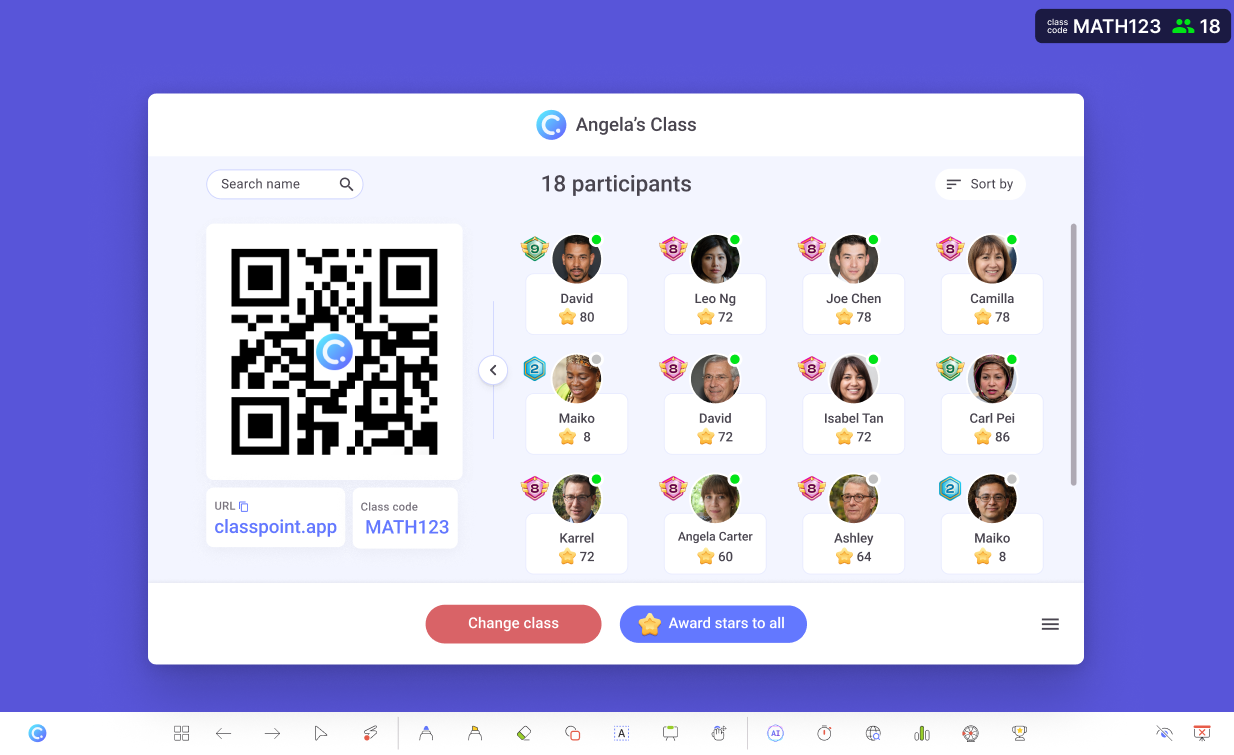
ClassPoint, while also allowing for one-off presentations through public classes, offers an additional feature: the ability to create private classes.
This is where you can truly bring your classroom into PowerPoint. With ClassPoint’s private classes, you can:
- Prepare a list of student names to join your session before it starts.
- Lock your class so that only the students on your private list can join, adding an extra layer of security for online classes.
- Use the same class code across multiple sessions, and even make it unique for each class session.
- Keep track of student data, such as their accumulated stars, across different sessions.
The best part about private classes? Organization. Whether you need to divide your classes by days of the week, subject, or grade level, you can set up a dedicated class for each, keeping your classroom management workflow neat and efficient.
Gamified Rewards
Simply put, Curipod does not include any gamification elements.
What Curipod lacks, ClassPoint generously offers. Beyond interactive activities, ClassPoint incorporates a gamified reward system that spans the entire learning cycle:
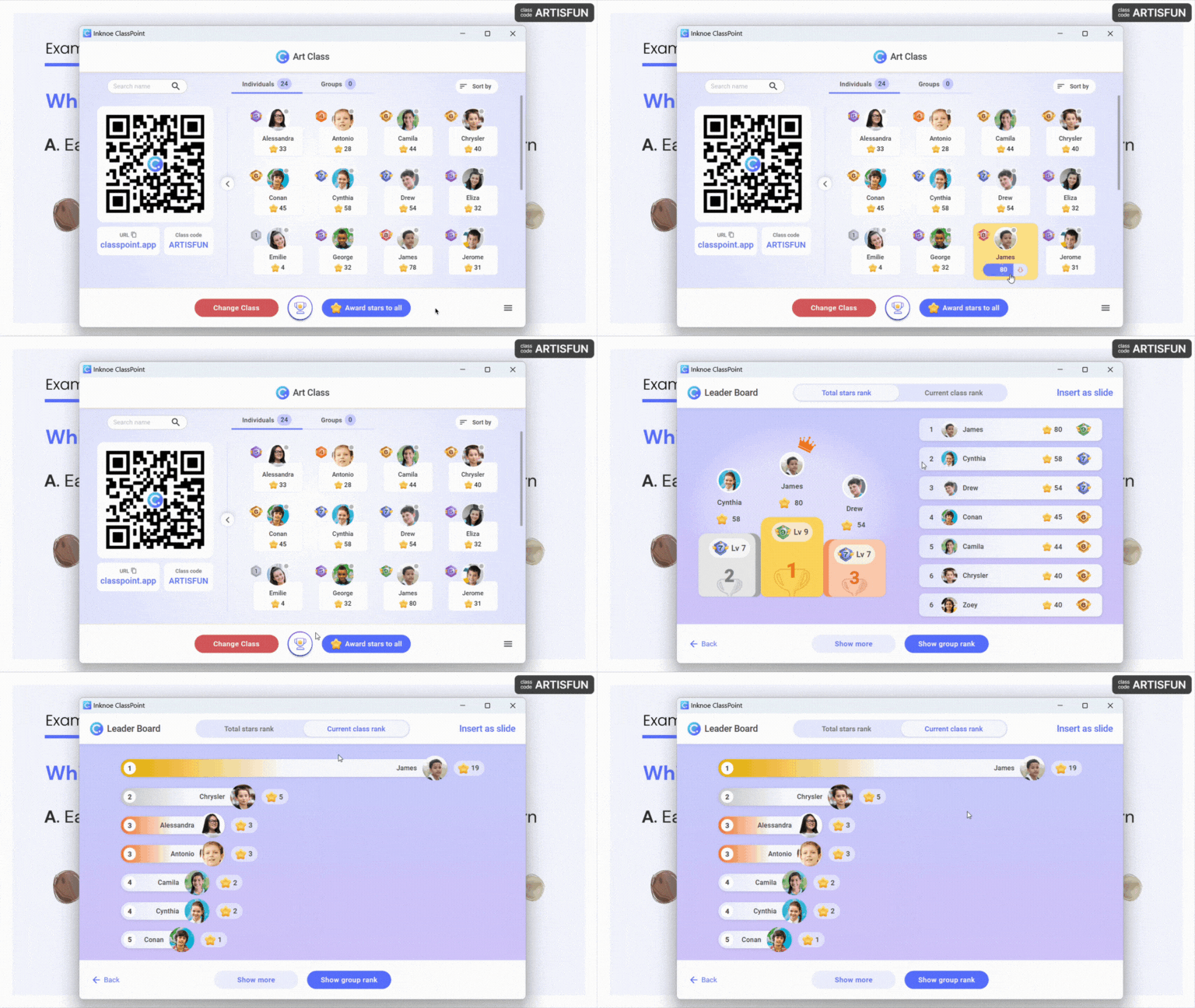
- Stars: Teachers can award points in the form of stars for correct answers, participation, or even randomly to boost overall classroom motivation.
- Levels & Badges: As students collect stars, they progress to new levels and earn level-specific badges, which they can see directly on their devices.
- Leader Board: A visual podium and running list of top-performing students, with two views: one for current sessions and another that accumulates multiple sessions.
Speaking of gamification, here's our curated list of Easy Gamification Examples in the Classroom for Busy Teachers.
Live Presentation Tools
Curipod and ClassPoint offer very different support for live presentation delivery.
Curipod is more focused on supporting the delivery process. Its live presentation tools primarily help you manage the flow of your live session:
- Freeze: Freeze students’ screens on their devices and direct their attention to the live teacher screen instead.
- Built-in Activity Timers: Adjustable timers that teachers can use live during ongoing activities.
- Post-Activity Voting: A special voting feature that allows students to vote on their classmates’ submitted work after an activity.
- Content Moderation: Guide, monitor, and manage student behavior during activities through a separate window.
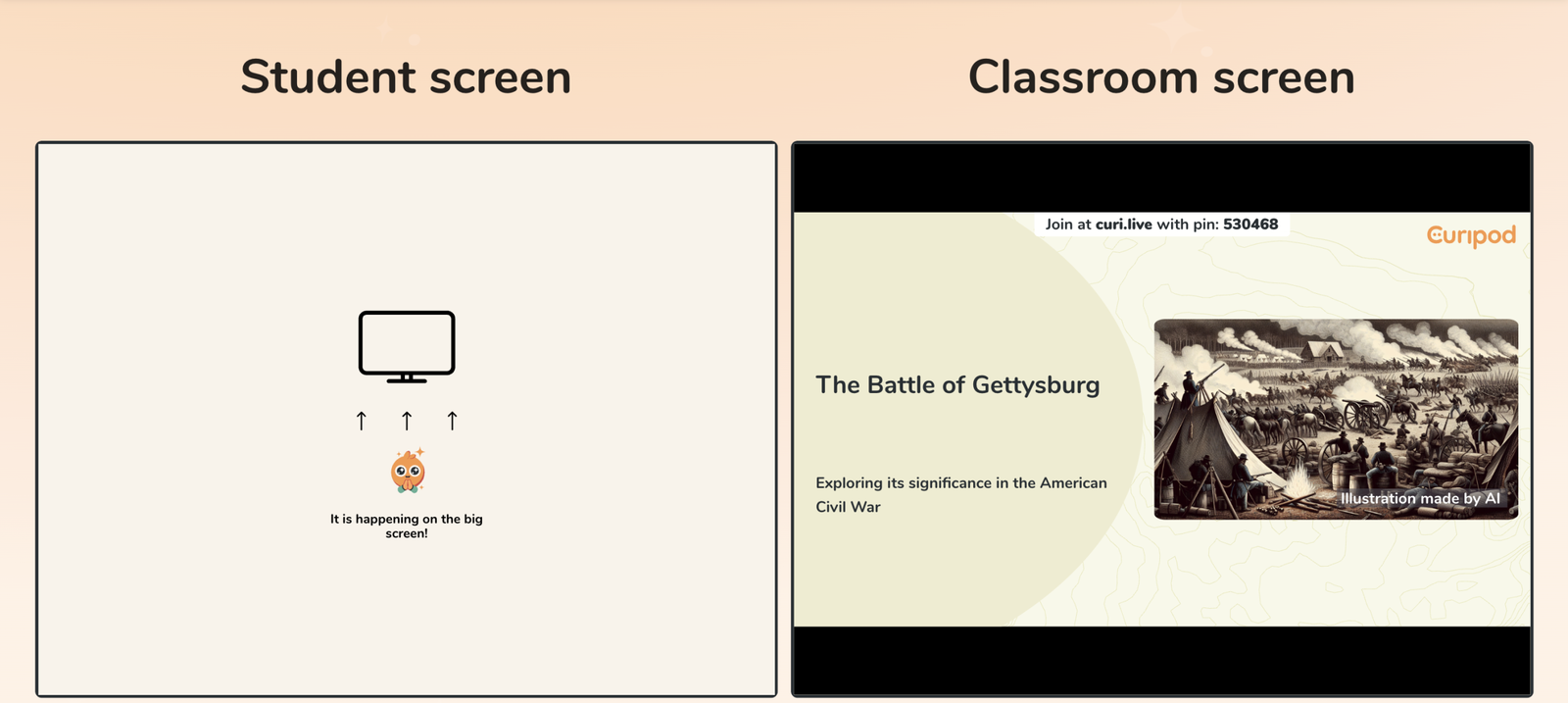
While Curipod’s approach to live presentation support is about aiding the delivery, ClassPoint’s approach is about making it dynamic.
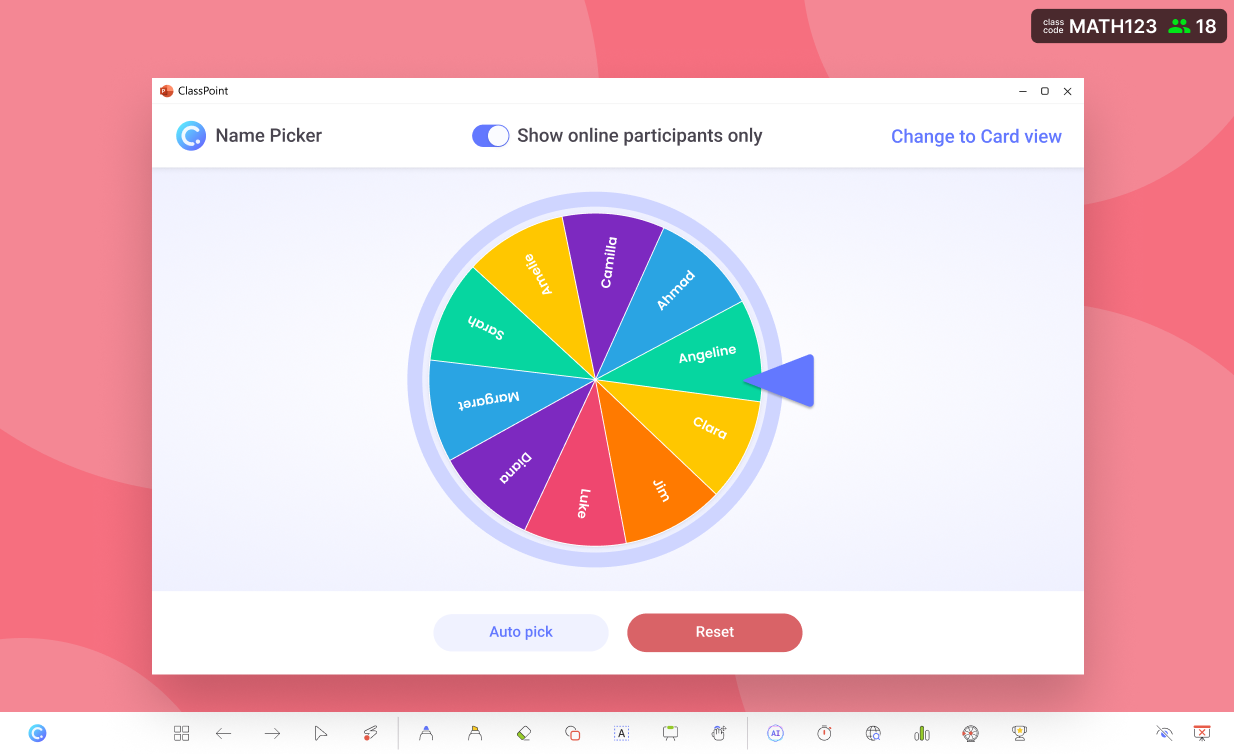
ClassPoint adds an extra toolbar directly below your screen, packed with tools designed to elevate your slide shows:
- Live Inking: Make annotations, insert shapes, type text boxes, enable a spotlight, and more with a dedicated live toolbox.
- Name Picker: Randomize student names in three modes: a wheel of names, a deck of emoji cards, or auto-pick in bulk for up to 10 students.
- Timer: In addition to built-in activity timers like Curipod’s, ClassPoint features a separate timer tool that you can launch at any point in your presentation, which can also be switched to a stopwatch.
- Drag & Drop: Make PowerPoint slide elements draggable during your presentation, allowing you to host fun drag-and-drop activities or add visual cues during discussions.
Running a live ClassPoint session for the first time? Here are 5 Live Classroom Must-Dos for More Effective Lessons with ClassPoint.
AI-Powered Capabilities
AI is everywhere these days. And it’s becoming a staple in classrooms, too.
Curipod supports this wave by allowing teachers to create lesson presentations with AI assistance. Teachers simply type in their desired flow, and Curipod generates the entire presentation for them. Yes, the whole thing.
In addition to lesson prep support, Curipod also offers on-the-spot AI feedback for activities, enhancing the student experience in real-time.
ClassPoint, on the other hand, stands out with its flagship AI Quiz Generator, which lets teachers:
- Generate quiz questions directly from the content of their slides.
- Align quiz questions with Bloom’s Taxonomy levels.
- Instantly insert quiz questions as slides, ready to run during the presentation.
Beyond the quiz generator, ClassPoint’s AI capabilities extend to other areas as well. ClassPoint now uses AI to assist with post-session reports, analyze short answer submissions, and much more.
Which Tool Should You Choose?
Choosing the right tool depends on what you prioritize in your teaching workflow. While both Curipod and ClassPoint offer interactive features to enhance presentations, each has its own strengths that may appeal to different teaching needs.
✅ Use Curipod If…
- You prefer a web-based platform that’s simple and quick to set up.
- You need a tool that allows for easy, self-paced student interaction with minimal setup.
- You’re looking for a platform focused on one-off sessions, without the need for ongoing tracking.
- You want to start creating presentations right away, with access to a public library of teacher-shared resources.
✅ Use ClassPoint If…
- You’re already using PowerPoint and want to enhance your presentations with interactive features without switching platforms.
- You need the ability to create private classes for better student tracking and security.
- You value gamification and want to motivate students with stars, levels, and leaderboards.
- You’re looking for a range of dynamic tools for live presentations, including live inking, name pickers, and drag-and-drop activities.
- You want to take advantage of AI features like quiz generation and detailed post-session reports.
Ultimately, both tools are designed to make classroom presentations more engaging. The choice between Curipod and ClassPoint depends on your existing workflow, the level of customization you need, and whether you’re looking for a seamless integration into PowerPoint or a more standalone web-based experience.
