
Mentimeter has long been a solid choice for audience engagement during presentations. On paper, it checks all the right boxes: interactive question types, live polls, reactions, Q&A, live chat, and more.
But like many tools in this space, Mentimeter does fall short in a few areas. And while plenty of tools operate in a similar way, one Mentimeter alternative tends to come up more often than not.
That tool is ClassPoint, and for good reason.
At their core, ClassPoint and Mentimeter share the same goal: to make presentations interactive. When you look at how both tools work, the experience is largely the same:
- You invite participants to join your live presentation on their own devices,
- you start presenting with interactive checks along the way,
- these interactive checks, often in the form of questions, are sent directly to them,
- they submit their responses,
- and those responses appear back on your presentation in real time.
So why compare the two at all?
Because it’s in the in-betweens where the differences start to matter.
ClassPoint offers several features that Mentimeter simply does not. That doesn’t automatically mean ClassPoint is better for everyone, but it does mean its features may fit certain presentation flows more naturally.
And that’s the goal here. To show why ClassPoint stands out as the best Mentimeter alternative worth considering.
If you're a teacher, you might want to check out our curated list of The Must-Have Interactive Presentation Tools for Engaging Classes.
TL;DR: ClassPoint and Mentimeter Side by Side
If you just want the bottom line before diving into the details, this section sums it up.
Both Mentimeter and ClassPoint are built to make presentations interactive. Where they differ is how much flexibility, visibility, and control they give presenters once they are live.
Here’s the high-level comparison:
| Area | Mentimeter | ClassPoint |
|---|---|---|
| Question types | Polls, word cloud, scales, ranking, open-ended, Q&A | Core Mentimeter types plus slide drawing, image upload, video upload, audio recording |
| Live submission tracking | Responses shown, no identity tracking by default | See responses real-time with participant names |
| Session types | Public join by default | Public, plus pre-created private sessions with fixed participant lists |
| Cross-session tracking | Session-based | Participant data and submissions carry across multiple sessions |
| Gamification | No built-in system | Stars, levels, badges, and leaderboard built in |
| Live presentation tools | Timer | Timer, stopwatch, name picker, drag and drop, live inking, whiteboards, and more |
| AI approach | AI builds presentations from prompts | AI generates quiz questions from existing slides |
If you’re deciding purely on polling, Mentimeter holds its ground. If you care about tracking, flexibility during live delivery, richer response types, and tools that work inside your presentation flow, ClassPoint starts to pull ahead.
The sections below break down exactly how and why.
Question Types
As mentioned earlier, ClassPoint and Mentimeter follow the same general interaction pattern. Presenters present, participants respond, and responses come back in real time.
Where things start to diverge is in question types, which for many presenters is a make-or-break factor.
What Mentimeter has that ClassPoint also offers:
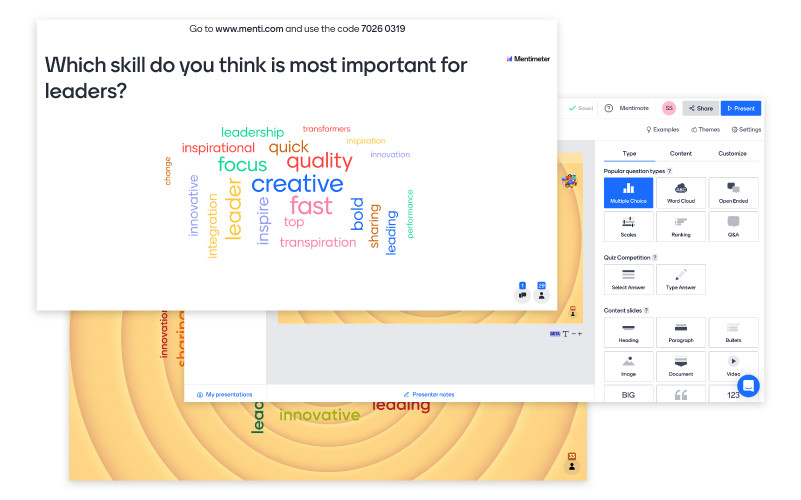
- Multiple Choice and Word Cloud, both work the same way in ClassPoint
- Scales and Ranking, both available as Quick Poll types in ClassPoint, along with True or False and multi-option questions
- Open Ended, with ClassPoint offering Short Answer plus an optional anonymous response setting
- Q&A, also available in ClassPoint, with built-in upvoting so participants can interact with each other
On top of these, ClassPoint includes additional question types that are not available in Mentimeter:
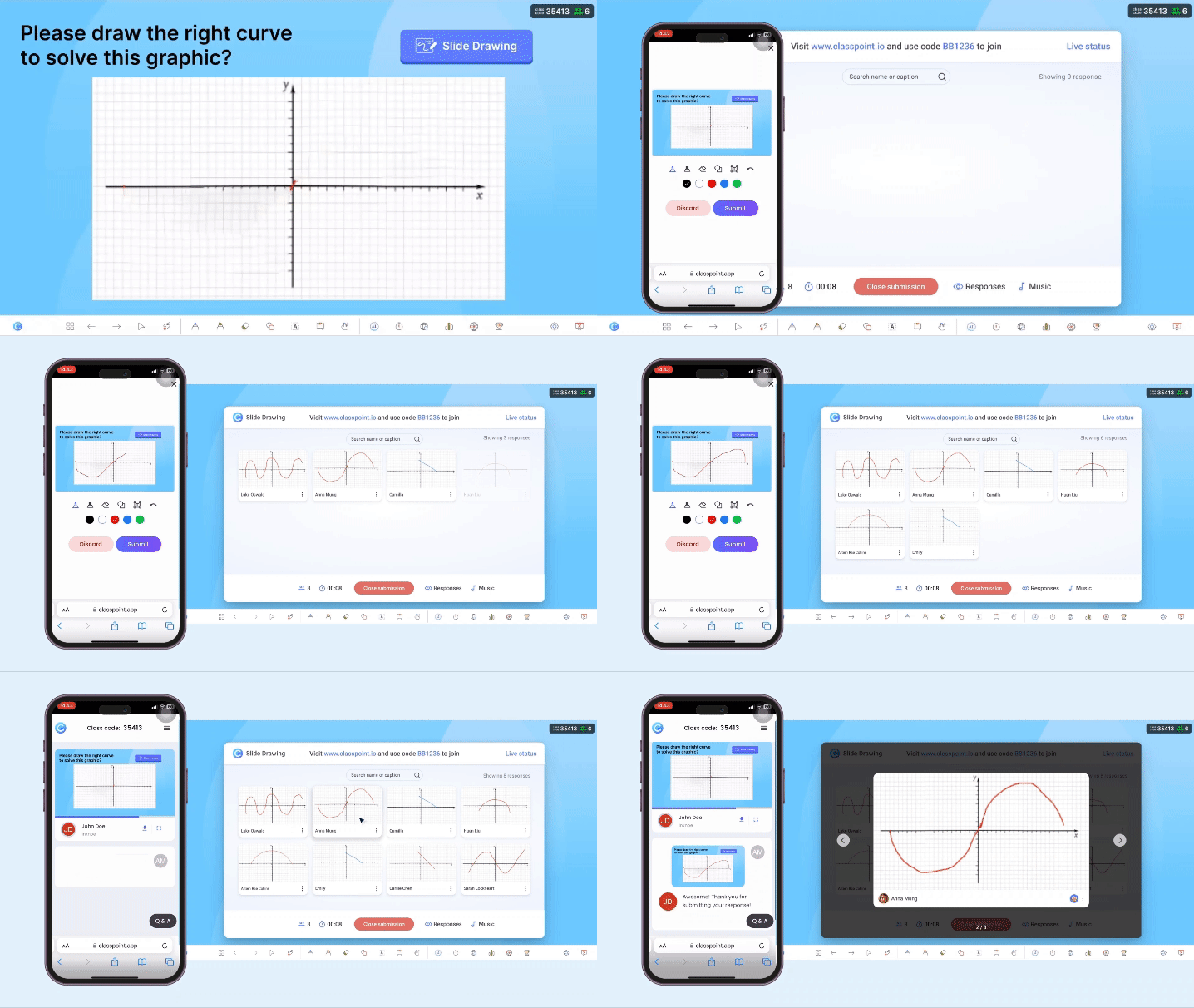
- Slide Drawing, where participants can draw directly on your slides, which works especially well for diagramming, annotations, and visual thinking activities
- Image and Video Upload, allowing participants to submit images or videos straight from their devices as responses
- Audio Record, which supports spoken responses and quick verbal submissions
Taken together, the difference is about how flexible your interaction moments can be once you move beyond text-based responses.
For presenters who rely on visual thinking, worked examples, spoken explanations, or quick demonstrations, these added formats change what’s possible during a live session.
Participant Tracking
Mentimeter does allow participant names to appear on screen so presenters can see who responded to what. However, this level of tracking only becomes available after an upgrade.
With ClassPoint, participant tracking is enabled by default and remains free. Instead of recording responses blindly during a live presentation, ClassPoint ties responses directly to participant names, and it does so very clearly.
As participants respond in ClassPoint, each submission is tagged with the name they used when joining the class. Depending on the question type, this applies to individual answers, drawings, uploads, and other response formats.
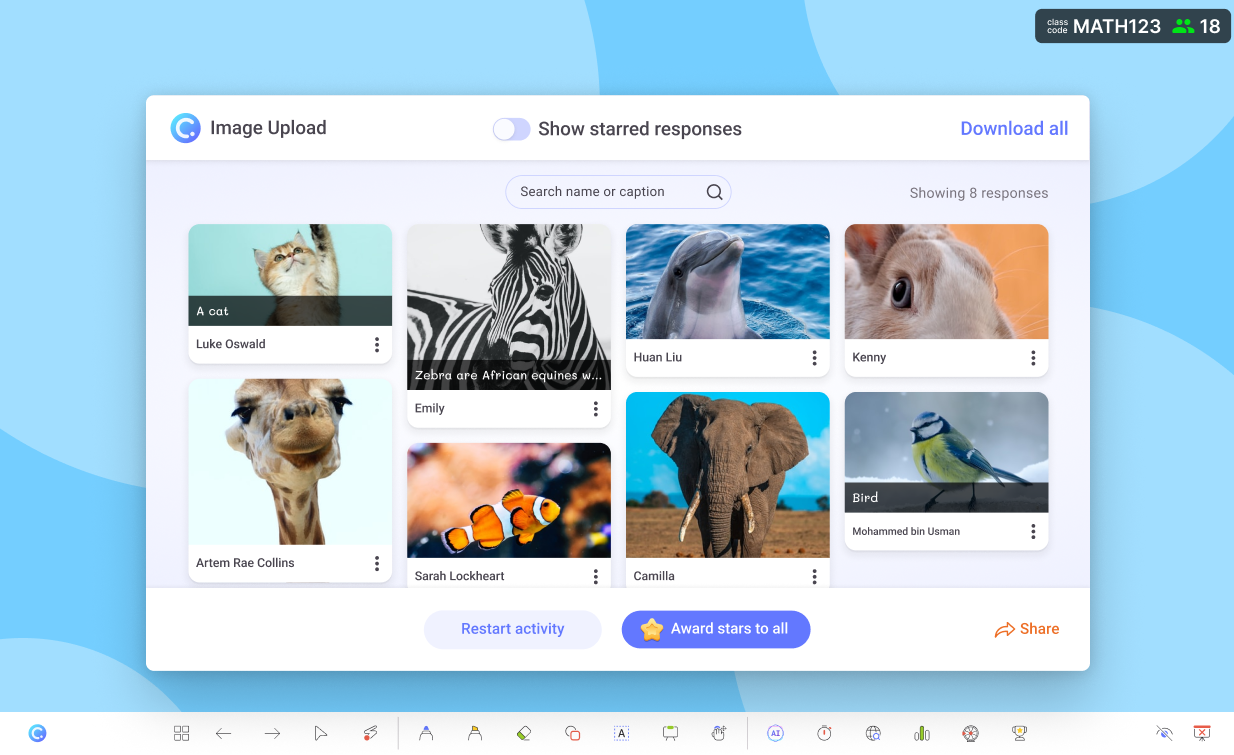
Other forms of participant tracking in ClassPoint include:
- Live submission status showing who has responded and who has not during active question runs
- Private (class) sessions that presenters can set up ahead of time, with predefined participant lists so only invited names can join
- Participant data that carries across multiple sessions instead of resetting each time
- Dedicated session reports with automatically recorded submissions across all questions
What this ultimately changes is accountability. Participant tracking in ClassPoint is not treated as an add-on feature, but as a built-in part of how interactions work.
For presenters who need clarity on participation, follow-ups, or attendance-linked responses, this level of visibility removes a lot of guesswork during and after a session.
Gamification
Mentimeter does not have a built-in gamification system. For many interactive presentations, real-time responses and visual feedback are enough. But when you want to push engagement a little further, a simple point system can make a noticeable difference.
ClassPoint takes a more complete view of what an interactive presentation can look like. Built into the platform is a full gamification toolkit designed to go beyond questions and polls.
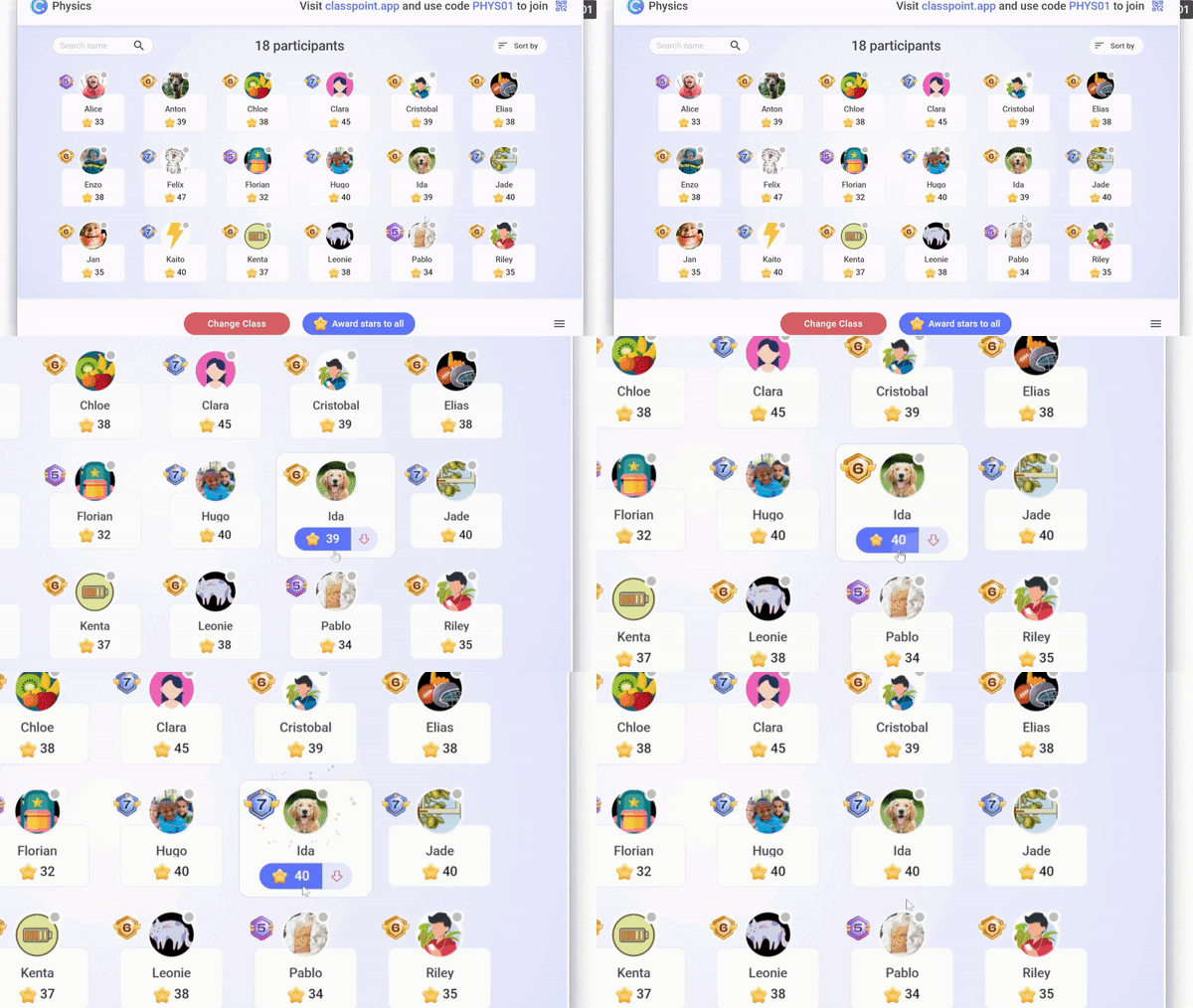
- Stars, the main currency of the point system, which can be awarded at any point during the presentation
- Levels and badges, which participants progress through as they accumulate stars, each level coming with its own badge
- Leaderboard, a visual podium that highlights top-performing participants and recognizes active participation
What makes this work especially well is how naturally it’s woven into the presentation flow. Stars can be awarded from the participant list, for correct answers, for speaking up during discussions, for being selected via the name picker, and more.
Beyond digital tools, here are Easy Gamification Examples in the Classroom for Busy Teachers to help spark ideas.
Live Presentation Tools
As much as Mentimeter is positioned as a presentation tool, its support for live presenting is surprisingly limited. Beyond interactive questions, live presentation tools more or less begin and end with a timer.
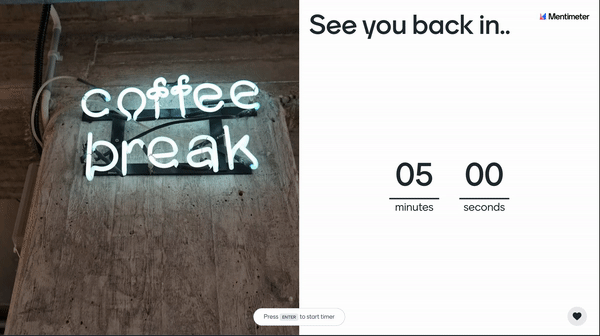
As a top Mentimeter alternative, ClassPoint offers more than just a timer, which can also be switched to a stopwatch depending on how you run your session:
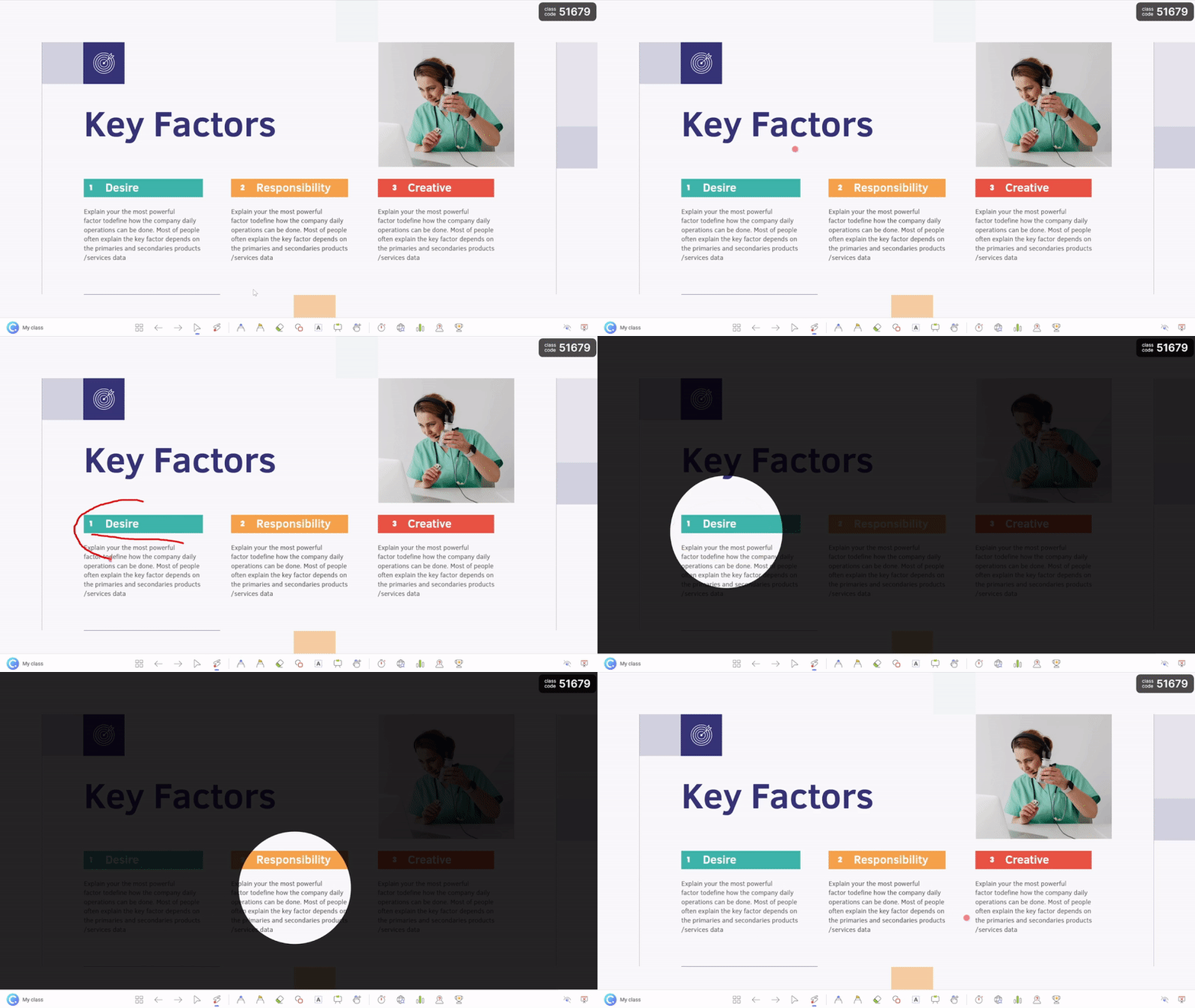
- Name Picker, available in three modes: wheel of names, emoji cards, and auto-pick
- Drag and Drop, which turns slide elements into draggable objects during the presentation, making demos more hands-on and turning static slides into live activities
- Live Inking, giving presenters visual control through annotations, shapes, and text boxes while explaining concepts
- Whiteboards, with ready-to-use templates like an X and Y axis, a kanban board, ruled paper, or custom boards you upload ahead of time and attach instantly during a session
What this changes is how much control presenters have once they’re live. Instead of being locked into pre-built interactions, these tools allow presenters to respond in the moment, adapt explanations, and turn unexpected questions into teachable moments without leaving the presentation.
For teachers, the prep before every session is crucial. If you're a teacher already using ClassPoint, here are 5 Live Classroom Must-Dos for More Effective Lessons with ClassPoint.
AI Capabilities
One of Mentimeter’s highlight AI capabilities is its dedicated AI Menti Builder. This allows presenters to create full presentations from a simple prompt alone. Because it is trained to generate complete presentations even from minimal input, little to no prompting experience is required.
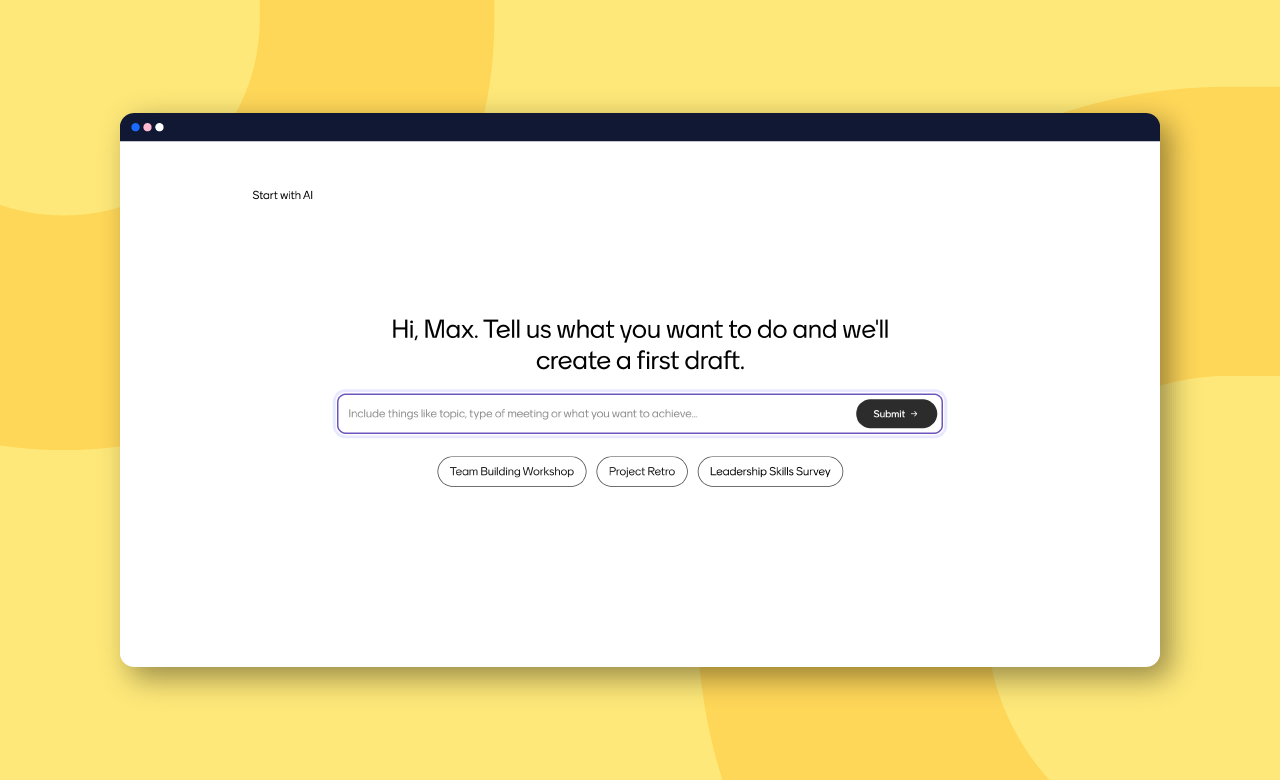
That said, a familiar rule of AI still applies: your output is only as good as your input.
When the task is to generate an entire presentation from scratch, that puts real pressure on crafting a good prompt. For some presenters, that’s fine. For others, it can quickly become a friction point.
Coincidentally, ClassPoint addresses this exact gap with its standout AI feature, the AI quiz generator.
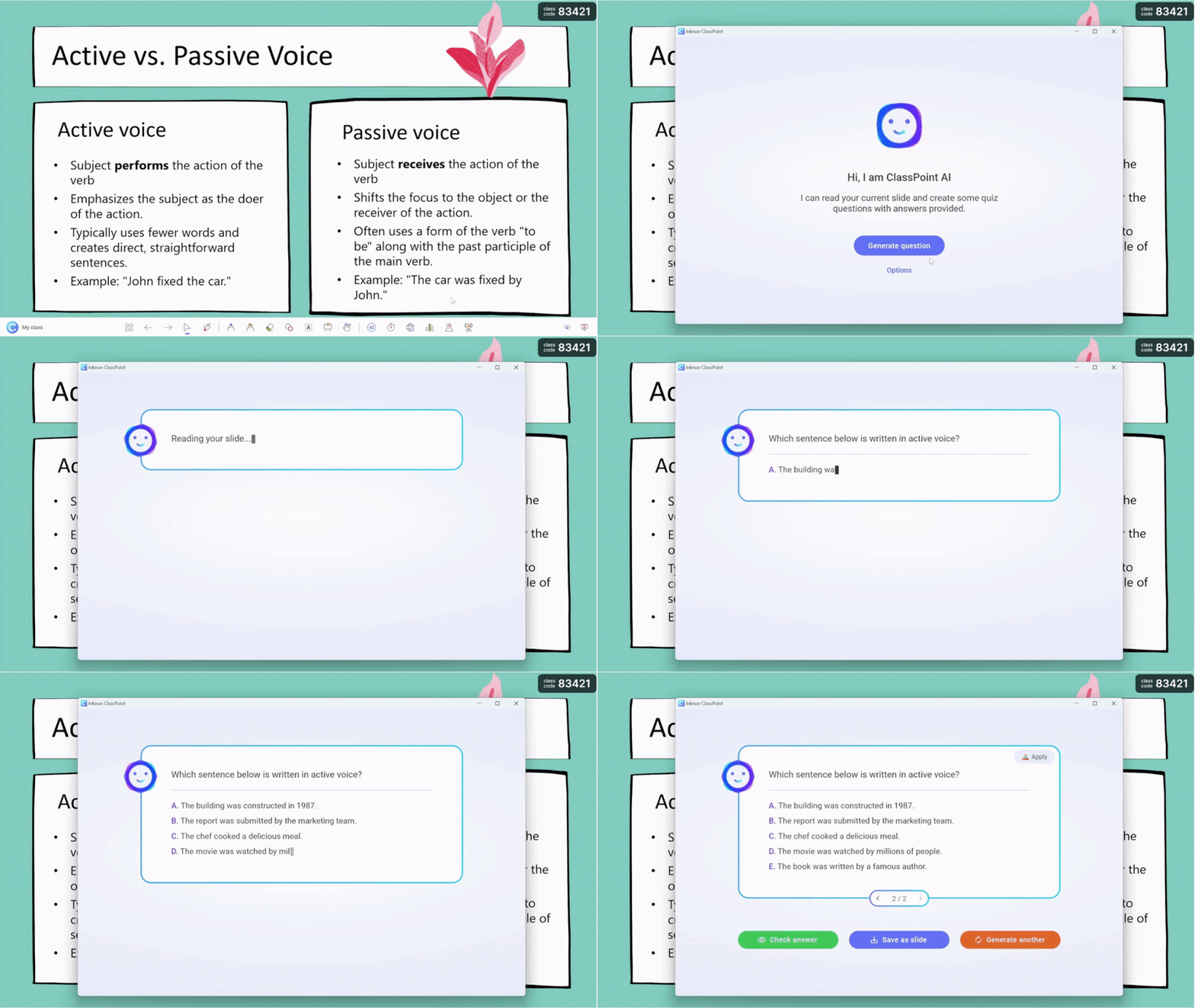
With ClassPoint, you don’t type prompts to supply your presentations with smart quiz questions. The content on your slides is the prompt.
ClassPoint AI effortlessly
- reads the text on your slides,
- creates smart quiz questions based off that content aligned with Bloom’s Taxonomy,
- and gives you ready slides you can insert immediately, with question buttons already embedded.
If Mentimeter requires you to think through a prompt before anything happens, ClassPoint removes that step entirely. Its AI works with what already exists on your slides, so instead of starting from zero, you build forward from what you’ve already prepared.
ClassPoint's AI capabilities do not stop at its quiz generator. Check out our rundown of the Powerful ClassPoint AI Features You Should Know.
So Do These Things Make ClassPoint the Best Mentimeter Alternative?
Quite frankly, yes.
Not because Mentimeter is lacking, and not because ClassPoint is trying to replace it feature for feature. The difference comes down to how much control, visibility, and flexibility you have once you are live.
ClassPoint does more than collect responses.
It tracks participation by default, supports richer response formats, adds a layer of gamification, and gives presenters tools to adapt in the moment without leaving their slides. Its AI works with what you already built instead of asking you to start over. All of this happens inside PowerPoint, where many presenters already feel most comfortable.
If your presentations rely on more than quick polls, if you care who is participating and how, and if you want interactions that feel natural instead of bolted on, then yes, ClassPoint earns its place as the best Mentimeter alternative to consider.
